Look for Lines

Shapes

For this week’s edition of “Thursday Thoughts”, I’d like to take a look at the subject of composition. We always are striving to enhance our composition, either by understanding the rules of composition better, or by pushing the envelope in new directions. With the explosion of digital photography, the decreased price of entry, and the abundance of opinions, now more than ever, if you really want to succeed in photography, it helps to get a jump on the learning curve by a better understanding of what works consistently over time. There’s a reason why we often refer to the Rule of Thirds, or the Golden Mean when talking about classic composition – because they work. Time and time again, when photos are composed along these rough guidelines, the results are more pleasing than the same subject without the rules of composition applied.

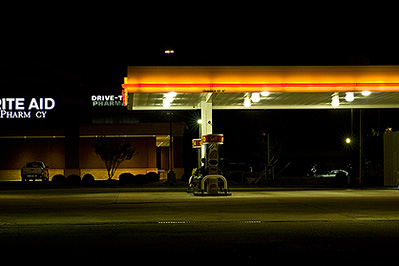
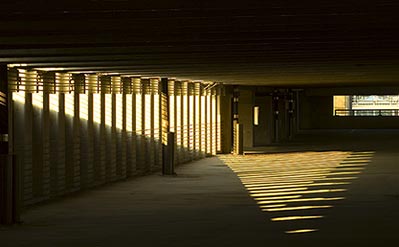
One of the interesting things though about these rules is how they all use some form of linear movement through pictures. Whether the lines are vertical and horizontal, diagonal or even curved, the way you compose your pictures along these imaginary lines will have an impact on the final result of your image. So, rather than looking at the rules of photography, let’s break it down into a more elemental context: usage of lines.

As I mentioned above, there are four ways in which lines can take you through an image, vertically, horizontally, diagonally, and curved. Knowing the impact each of these types of lines will have on your pictures can really help as you look for scenes to capture and share with the world. And, as the old saying goes, “knowing is half the battle”…

  1. Vertical lines – What creates vertical lines in images? In nature, things like trees are great examples of vertical lines. Architecture also provides excellent material for including vertical lines in your images. Are you a people person? Try taking pictures near someone’s feet, looking up. The vertical lines of their legs will have a tremendous impact on your pictures. So, what does this mean? Usually, vertical lines are connoted with stability and power. These lines will anchor your images at the base (or top) of where the lines start (or end.)
  2. Vertical Lines on Sailboat

  3. Horizontal lines – What creates horizontal lines? Horizons are great examples, and architecture also can provide horizontals. Looking for portrait examples? Try imagining a horizontal line across the bottom or top of someone’s eyes or teeth. We all love shots of sleeping babies too. Their bodies are usually horizontally composed. Horizontals usually are associated with peacefulness and tranquility.
  4. Vertical Lines on Sailboat

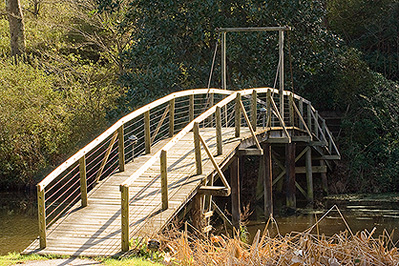
  5. Diagonal lines – What creates diagonal lines? This is a little trickier, because linear progression usually occurs (both in nature and in man-made objects) horizontally or vertically. This requires actually re-positioning your camera from its traditional position to find diagonals. Some examples that are easier to see include bridges, piers, and docks. Also, try looking at things at a different angle, or just looking in new directions. The sail lines of a boat are good examples of diagonals. Pitched rooflines work for architecture too. In people photography, the nose provides angles as do some jaw lines. You can also position people’s arms and legs to give an angular line in the picture. Diagonal lines are lots of fun because they make things more active and dynamic. I’ve even read about diagonals creating tension and suggesting motion.
  6. Vertical Lines on Sailboat

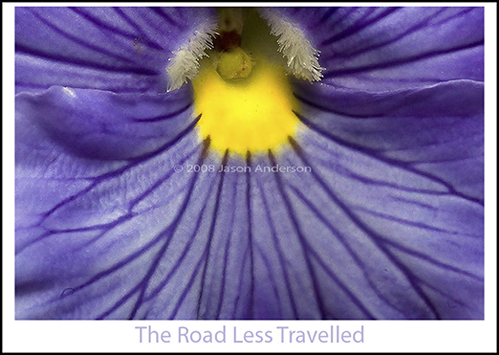
  7. Curved lines – What about curved lines? Curves are great at leading the eye through a picture. Imagine winding roads and curvy paths or ripples in waves ax examples in nature. For portrait work, the curvature of some cheekbones is a great perspective to base an anchor point of an image. Eyes also work here, as do smiles and facial expressions. Overall curves suggest motion because the eyes are always following the path the curve takes them on, but this motion is usually a smooth one, so there is also an association with grace.

  8. Vertical Lines on Sailboat

Lines are fun to find, especially if you mentally take note to look for particular instances. Take a day and say to yourself “today I am going to find curved lines” and see how many you find. Take notes and return with your camera (or take the shot if you have it with you!). With time you’ll find which types of lines speak to your preferences as well as where to position them in camera to yield the best composition.

Anyway, that’s the Thursday Thoughts for this week. I hope you all enjoyed it, and perhaps you’ll find new lines as you go out, cameras in hand this weekend. Happy shooting, watch those apertures, and find the lines!
What is this?

What is this?

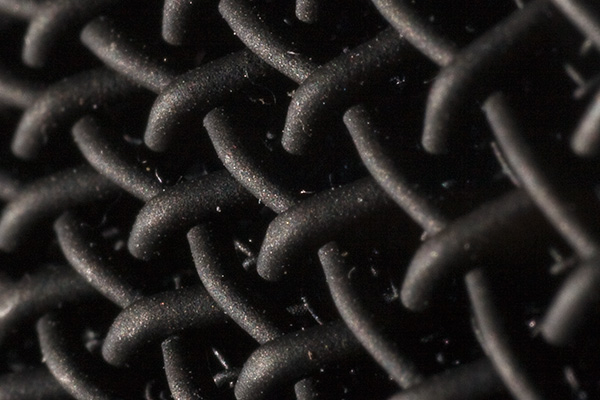
Welcome to the Wednesday walk around the web. Before throwing the web gems for this week at you, I figured it might be fun to bring in a new feature for Wednesdays: “What is this?” I’ll take a shot of something at an unusual angle, perhaps zoomed in super close, or intentionally blurred. See if you can guess what it is (use the comments). If you’re right, guess what you win? That’s right! Fame, fortune, and glory! Well, not really – but you do win the “What is this?” for the week so you can brag to all your photo peers that you won the CB “What is this” photo game. I’ll make the first one easy and give a hint – this was taken in my home office. Now, with that in mind, look at the picture above, and see if you can guess what it is! Good luck to all – and now for the Wednesday web gems.

  • This Week in Photography (TWIP) – Scott does regular photo-related posts, just like the rest of us, but he does bring a unique approach to the table. Another cool thing: he has contests, with actual prizes! Cool blog and ltos of useful info.
  • Frederick Johnson – Learned about this guy in the NAPP forums. He’s the Senior Marketing Manager for Professional Photography at Adobe – and while the title and company are impressive enough – check out his Flickr stream, and he has a blog too! Very cool stuff.
  • Jason D. Moore – His weekly P&P listing is up – everything there is of at least a first and second glance!
  • John Nack – Well known Adobe guy, and on my daily hit list. Always good info there. Actually thanks to John, I should qualify the statements that I made a few days ago about Adobe using the GPU for the next version of PS – his clarification on the subject was that it might be coming…but not sure when and as he said he “can neither confirm nor deny” it – he was just sharing possible developments.
  • Okay, it’s a bit of self-promotion, but I’ve not heard much feedback on the Advanced Online Photography Test (a.k.a. TOP Test) since migrating it. So, stop over to the TOP TEST to take your photography skills to the next level!

That should be enough for your morning surf time, now either get back to work or get out and shoot some pictures! Don’t forget to guess on the picture above, and throw a vote in on the poll. Happy shooting, watch those apertures, and we’ll see you back here tomorrow!

Custom Brushes

Custom Brush

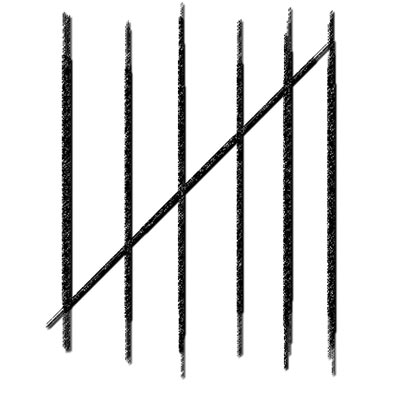
For this weeks tutorial, I thought to take a look at custom brushes and brush sets. It can be a pretty handy thing to have some custom brushes of things you do often, or looks and styles that you apply often to your photos (such as a signature, copyright, or some other such logo). The idea came from someone in one of the photo forums (NAPP forums if I recall correctly), asking if there was a brush set out there that had a set of hash marks (like for the days of the week). We talked back and forth on a few alternatives when it dawned on me – we could make a brush to do that! You really can make brushes to do whatever you want, it’s just a matter of doing it once and then saving it, much like an action.

So, here’s a tutorial that examines how to create, save, and load custom brushes inside of Photoshop. We’ll see you back here tomorrow! Until then, Happy Shooting and watch those apertures!

Creating Custom Brushes

More coffee Monday

Judging from my soreness even today after a weekend of home improvement projects, I would imagine that tomorrow morning will be even more of the same – I will definitely be partaking of more than a few cups of joe to get me on my feet and functional.

I did take some time to do some cleanup work of the weekend on the photo gallery side of things for my website and the project side of things for the blog too though. The lucky readers (lucky possibly being a subjective term in this case) will get a sneak preview of my latest gallery addition as I ran out of time and do not have a link on the site to this yet (or the thumbnail for that matter).

On the blog maintenance, I’ve changed the notice for comments – apparently the spam flag was set a little too severely as people were making comments and it was taking up to a month in some cases before those got discovered and re-tagged. So, your comments should become visible much more quickly now. With that in mind, I thought I’d also share the latest photo gallery that I am putting up on my website with those of you who are tuning in, so now you can comment more easily! Last but not least, I had mentioned an article that was forthcoming both in the video tutorial last week, and in another one of the posts. Well, after going through several re-writes and different takes on it, I’ve decided not to publish that, as it’s just to dense of a topic for a short listen or read. If anyone is interested in it though, the subject is creative development.

I looked at an essay that came out in the most recent issue of Shutterbug Magazine, where Jack Hollingsworth looks at how photographers develop their in the essay The Ladder: In Defense of Imitation . He defines 3 stages or phases of development: imaginative, adaptive, and innovative. While both interesting and logical, it raises more questions than it answers. I found myself in similar shoes when trying to address just a few of those questions ir raised in my mind – more questions, practically all of which were subjective in nature. So, the article will likely not see the light of day here at CB. If anyone is interested in a heavy read, let me know via email and I’ll be happy to forward a copy of that article to whomever requests it directly.

That said, the blog was not a good place for it, so I discarded the idea for CB and went with the photo montage. A sneak peak was done a few weeks ago, and it’s now complete. Visit my photo site for the full gallery here

Hope everyone’s weekends were good ones. Here’s to a new week – happy shooting, and watch that ISO!

Better luck next time

Heh – I had been so good lately about planning ahead and recording my video podcasts ahead of schedule and just setting a publish time in WordPress, I got on an automatic pilot routine. When that routine got disrupted from some dental and sleep deprivation issues the other day, I didn’t realize until just a short time ago that the post for Friday had not been scheduled. Not only had it not been scheduled – it didn’t even get written yet!

So, a thousand pardons as I rush to get a somewhat photo-related post out before the end of the day. Since it is on short notice, I will simply relay a funny story that happened to me the other day as I was out walking the dog. I had taken the camera and flash with diffuser attached as the day was actually perfect for photography: late afternon, cloudy skies, and evenly light all around. So, I am bouncing along, trying different settings here and there with various subjects – a flower, a reflection in some water, and I have the bright idea to do a macro shot super close on a flower. But, instead of going wide open to get available light, I figured let’s try the flash here – so I pop the flash on, attach the diffuser and set it to ETTL. Then I dial the aperture down as far as I think it can go on the fill flash setting – f22! I pre-focused on the lower third of the frame, then set the focus to manual. Finally, I shifted the camera up just a smidge, knowing that the lower portion would be in focus and because of the f-stop, I would have a pretty solid dof throughout.

Well…there’s always something you forget, and in this instance, it was the ISO setting. You guessed it – 1600! ARGH! Well, I cleaned it up a little with NN after the fact, and yeah, it’s okay, but imagine how this shot would have been without the noise and tack sharp?

Floral Macro

So, it seems another one that got away from me! I think I am going to tape a label to the back of my LCD and write on it in big fat letters ISO! Long story short – always double check your settings, and always take a few shots. I only took the one, so it’s all I had to work from. Oh well…better luck next time! Hee’s your traditional WTD episode for Friday:

What the Duck

Hope everyone has a good weekend. Happy shooting and watch those apertures!

In the News – Doo Wah!

Bop bop doo bop doo bop do wow!  Okay, sorry, that’s a bad skit for the great jazz tune from the ’50’s, but nevertheless, whenever I hear the phrase “in the news” I feel compelled to sing that line.  Now, for your real news from CB today:  I’ve got two stories for you, some news from Adobe on the next iteration of Photoshop and some Canon news on the Canon Hacking Development Kit (aka CHDK) that is now maing waves.  Read on for all the details!

Adobe Photoshop News

Well, the big news I read today during lunch was that the folks at Adobe will be incorporating some sort of GPU support for its next iteration of Photoshop.  Tapping into the GPU (graphics processing unit) means that larger images can be rendered on your display faster.   Another added benefit will be an increase in processing speeds for filters and other intensive activities. Nothing too earth-shattering, except they did report that at the Nvidia show, they watched the presenter zoom and rotate the canvas on a 2 GB image as though it were a 5 MB image.


Canon CHDK News

In more Canon-specific news, I have now read at least 10 articles from a number of resources talking about the Canon Hacking Development Kit (CHDK), which is a free firmware hack that can be applied to P&S grade cameras to allow them to do a number of things that SLR’s do, and even a few that your average SLR can’t do!


  1. The CHDK allows Point-n-Shooters to shoot in raw mode.  The caveat is that since it’s not a standard raw format, you can’t open this in Photoshop or Lightroom directly.  Instead, there is a third party software kit out there (also for free) called dng4ps2 that can convert the image to the more common DNG, which is Adobe’s Digital Negative format.  The DNG file can then be opened in Photoshop or Lightroom.
  2. The CHDK kit enhances the P&S feature set by adding a battery status indicator so you can see how much of a charge you have left on your battery.  I know this feature is already there in SLR cameras, so I guess the P&S’er didn’t have this feature regularly – news to me.
  3. The CHDK kit also adds what they’re calling a zebra mode which will show you whether a picture is under- or over-exposed.  Basically, it sounds like it’s adding a histogram feature.  Again, this feature is standard on most SLR’s, but not on most P&S cameras.  I just think that even a lot of SLR shooters don’t use the histogram (although I would personally encourage more use of it), so adding the feature on P&S cameras may be a little overkill.
  4. Finally, the CHDK kit allows P&S’ers to extend their range of shutter speeds.  The most reliable info I saw for the CHDK claimed the range went from a standard of 1/3200-15 seconds all the way up to a range of 1/33,333 to 65 seconds!  You read that right, that’s one-thirty-three-thousandsth of a second (and change).  Kind of makes the 1/8000ths shutter speed on the 40D look pathetic, eh?  Granted, this was specific to the S5 IS, but the standard change is to 1/64000ths of a second, which is still earth-shatteringly fast! 

Now, the caveats:


  1. Write time slows down considerably when shooting in raw (to about 2-4 seconds – yikes!).
  2. The raw file format is not recognized by mainstream applications like Photoshop and Lightroom.  In other words, file accessibility is likely not reliable.
  3. The software that you have to use to access the raw image data is freeware.  While some software from the open-sourced community is excellent (case in point GIMP, OpenOffice, and many others) and perfectly safe, the fact that this software comes from Russia and is (to my knowledge) untested, sets off red flags all over the place for me.  Of course I work in IT, so it’s in my nature to be suspicious of third party software from third world countries…
  4. As with any firmware hack, this is likely going to void any manufacturer warranty or vendor support for the camera if you install the software.

So, having shown the pros and cons, I’ll leave it to the community – install at your own discretion.  For those that do decide to install, feel free to share your thoughts here in the comments, or with me via email – I’d like to hear feedback on the reliability of the kit.  The CHDK can be downloaded direct from the link here:  http://chdk.wikia.com/wiki/S5IS, and the raw converter from here:  http://dng4ps2.chat.ru/index_en.html  Until next time, happy shooting and watch those apertures (or should I say shutters?)!


Back to Basics – Rule of Thirds Grid

After I recorded and started production on this tutorial my mind began to remember that perhaps I had covered this subject before. I reviewed the subjects I have posted over at the Tutorial Resource Center and did not see it covered there, so figure I am not repeating some tutorial I have already done. Having said that, this is kind of a return to the basics. Continue reading “Back to Basics – Rule of Thirds Grid”

PlayPlay

Quality versus quantity

“Okay, I’m done.”

“That’s it? You’ve only been shooting for ten minutes!”

“Yep, got about 50 shots, I should have 4-6 proofs for you from that bunch.”

“So we’re done?”

“Pretty much…I mean I can keep shooting, but there’s really no point, it’ll just be duplicates of the same stuff.”

This was the dialog I had with a co-worker a short time ago when I went to take pictures of her son for her. It is indicative of a mentality that exists in society…not only is size king, but so is quantity. If you were to take two photographers and set them side by side, who would you think is a better photographer: the one who took 40 shots or the one who took 400? Many of the general public would probably respond by saying the latter, without giving it much thought. Yeah, I took 50 instead of 40, because I have not been a pro shooter for 20 years, so I gave myself a little bit more of a margin for error. Having checked ISO, white balance and histogram settings though, I was pretty confidant that all that was left was composition – so I went with my instinct for what would make a good composition, took 3 or 4 different angles and was done.

Even photographers fall victim to this mentality of delivering a massive quantity of images. I know of several studios that just inundate their clients with hundreds of shots to choose from. They can’t understand why these clients never get any prints or very few prints from the studio. They think that people like to have a choice, and that the more choices you give them, the better. While the idea is not without merit, (because choice is a good thing) it can go to an extreme… and I think that’s where it’s going. The reason why they’re not getting prints done is because too many choices can also be paralyzing. If presented with 4 options, it is very easy to pick out which one you like best, whether it’s cars, cameras, televisions or photos. Presented with 400 cars, cameras, televisions or photos, the choice becomes more difficult and time consuming, primarily because you become concerned over picking the “wrong one”.

My perspective, in contrast, is to deliver just a select few shots. It makes the choices easier for the client. In a world where time is an increasingly valuable commodity, getting bogged down in sorting through hundreds of images trying to find one or two to print and hang can be more frustrating and lead to inaction. In essence it’s like you are transferring the process of elimination part of the work flow from your hands to the client. This has several downsides with minimal upsides. The one upside is that “Hey, the client chose this, not me.” can absolve you of responsibility for getting a bad shot framed. I would venture to ask though: why was a bad shot among the choices?

As I told a friend via email recently, it also comes to one of work flow management. Which would you rather deal with as a photographer – a work flow where you process 50 images or 500 images? The argument that “it’s digital, so what’s the big deal?” always seems to get under my skin a little bit. For me, the big deal is that some are going out there and not putting much time or thought into capturing the essence of a scene. They just lift the camera, point in the general direction of what they want and just fire away. I’ve actually heard the term “spray and pray” used for such shooters. The idea of slowing down and taking your time to both enjoy the moment and to really take into consideration all the nuances of things like lighting, shadows, and minimizing distractions has benefits. For me, the benefits far outweigh the downsides. Firstly, it is a much more enjoyable situation to be in. Not only do you have fewer images to process, but you can really take your time, pay attention to the detail, and get every nuance of the image pegged!

Secondly, you will probably find that you are less stressed yourself. You’re not worried about missing the shot because you didn’t have time to consider all the aspects – primarily because you are considering the nuances. Third, and most importantly, when you relax and aren’t stressed, your clients aren’t stressed either…a photographer and their subject often feed off each other. I have so much fun when taking pictures of subjects, I often forget that I am there for a specific reason – we’re enjoying the moment.

That’s right…we are enjoying the moment – client and photographer! We’re laughing, and having fun, and I just happen to have a camera in hand recording it. Yeah, the first shots are often always a little awkward for them, but once they see my mug grinning over the camera at them and laughing and joking around, the stress level decreases by a factor of ten! When your client is less stressed, they photograph better! They are more willing to strike goofy (in their eyes) poses! You can capture the shot!

So, that’s pretty much it: taking fewer shots will do three things for you:

  1. Cut down on post processing (both for quantity and quality)
  2. You stress less, and thus, your client stresses less.
  3. You increase your keeper percentage!

Having said this, I realize that there are some situations where you have to mass produce images. Another friend of mine talked about a basketball or softball tournament where they had to take pics of every person on every team over the course of a weekend. With 50 players per team and upwards of 30-40 teams, that is 2000 shots to process – and that’s a small regional event even if it’s only one shot per person. Take it on to a national event, and it just ratchets up another notch. While the quantity is there, it’s also a different shot every frame. This is also not a fine art or a studio environment. This is a very fast-moving, fast-paced environment and is not applicable to the type of photography I am talking about here.

I would venture to guess though that most of us do not fall in that category…we’re shooting far less than this on average, so the quality versus quantity rule does apply in most scenarios. Now, if only I could take that principle and apply it to the writing here on the blog!

Happy shooting all, and watch those apertures! (I’ll be back tomorrow with a video tutorial – had some plumbing issues today that hastened pulling from the archive for a daily post.)

Monday “McNallyisms”

Thanks to David Hobby over at Strobist for posting this on Saturday – apparently I have been missing the boat on videos lately as Google has a pretty extensive video archive of well-known people that they get to come out to the campus in CA and speak for a short while. David posted the YouTube video of Joe McNally (which was posted last Wednesday on YouTube). Normally I guess people speak for about ten minutes or so. Joe McNally’s talk – 1 hour! He naturally talks about The Moment it Clicks, but I walk away amazed every time I hear or read a little more about it. I have to get this book! Some key snippets came out of his conversation there that I took the time to write down and thought I would share these with the blogosphere. Call these “McNallyisms”:

On the big picture:

  1. “My philosophy about photography is that it’s a very open-ended profession.”
  2. “Human gesture trumps everything”
  3. “You have to have fun. If you’re not having fun, your pictures will reflect that.”

On motivation

  1. “At the end of the day, you’ve created something that didn’t exist that morning.”
  2. “I’m not driven by a particular type of photography…[but] by the love [of photography]”
  3. “I have to make a picture that conveys the emotional and visual experience I am having, and if the photograph doesn’t do that, then I’ve failed.”

On technique:

  1. “There are no secrets, no mysteries, no dark kind of ‘Keys to the Castle’ or anything…”
  2. “It only takes one ‘Awww, shit!” moment to wipe out three ‘atta boys’…”
  3. “The migration period [apertures, f-stops, shutter speeds, ISO’s, etc.]…taking all the sundry stuff and migrating it from the front of your head to the back of your head…you need to learn that stuff”
  4. “Technique is important – mechanical inputs have enormous aesthetic implications. You need to learn them and be fluid with them and it enables you to be able to speak with a louder voice.”

Yeah, it’s over an hour long, but it’s worth the listen…it can remind you of what’s really important about photography, and what doesn’t matter as much as you think it does:

And speaking of remembering what’s important, and what really matters versus what doesn’t matter so much, today you simply must stop over at Scott Eccleston’s blog for Weekly Photography Tips. That, my friends, is what really matters! Anyway, hope everyone enjoyed the weekend. Hope the coming week is just as good and keep those cameras clicking – happy shooting!

Finally Friday – A Week in Review

Yes, it’s finally Friday, and with a long weekend ahead of us, we can enjoy a little more down time. Mine will start about 30 seconds after I finish this post! Anyway, some updates on the Orphaned Works Act – some very passionate members of the NAPP community have been working together to get a website up to get the word out on a broader basis, so keep your browsers tuned to www.defendyourart.com over the next few days as updates, links to news items, and representative info will be going live. Additionally, posters and graphics are being compiled for people to share in their own regional communities too. So, if you participate in the arts (and you likely do if you’re reading this blog), tag the site as a bookmark: www.defendyourart.com

Brian over at Professional Snapshots got a G9 and shared some initial thoughts on that (as well as an interesting test shot), so stop over to his blog and see his feedback. Comment if you get a chance too – Brian always has fun stuff to read and share.

1001 Noisy Cameras does their latest update to the Canon SLR Market Price list indicating that prices pretty much remain the same, but now we have rebates! There’s also a link to a lengthy review of the Canon Xsi (and apparently somewhere in there a comparison between the 40D and the 450D??? I, like them, don’t understand – it’s apples and oranges. Anyway, stop over to 1001NC and read all about it – thanks guys for your info -you are on my must-read list since I learned about y’all! (Also, the TOP Test you linked to had some updates – see below for more)

Scott Kelby reminds us to back up our hard drives today (which I need to do btw…)

Ctein makes a passionate plea to avoid using music in website design over at The Online Photographer (thank you!)

Last, but not least, here’s some blog updates for CB:

  • I am almost done with the article compilations on creating your own photo website, so thanks to all for their patience.
  • The Online Photography Test has moved and now as TWO tests: Basic and Advanced! The latter still needs a few questions so stop over and take it, see your scores and share thoughts to round it out!
  • My photo shoots have been keeping me busy, but a gallery has been published here for viewer enjoyment: A Day in the Park
  • Another gallery should be forthcoming shortly too – still waiting on a model release.

Finally, lest I forget the Friday Funnies, stop over to What The Duck for a chuckle – or would it be a Duckle?

What the DUck - Friday May 23rd