Geek Factor Alert

Today’s post comes courtesy of a comment posted to Twitter from a friend (who shall remain nameless) asking about whether a particular camera was compatible with their computer.

Being the eternal geek, I jumped right in (figured the water was warm), and suggested that it shouldn’t matter because they are using a card reader…right?  As it turns out, they were not, instead tethering the camera to the computer to transfer files.  While this method is needed for instant viewing (see the tethering via Lightroom post using Canon here and Nikon here), it’s not recommended for transferring of your photos and video off a card that is in your camera.  I tried to find a post on this to point the person to and realized that, son-of-a-gun, I had never really discussed this in detail.  So… here we go! 🙂

There are a number of reasons why it is a good idea to use a card reader and not connect your camera to your computer for transferring images and video:

  1. Data loss/corruption – The chances for losing data is so much higher because you are relying on the computer detecting the camera, and the proprietary interface between that and the computer (with drivers and software and all that jazz).
  2. Battery drain – Unless you have an AC adapter, using your camera to transfer pictures to your computer can be a serious drain on batteries…even with rechargeable batteries.  And, if you are transferring images to your computer and your camera batteries happen to die, guess what can happen…(see #1 above)!
  3. Software installation – When connecting your camera to your computer, often times you will need to install software in order for the computer to recognize the camera.  Easy enough sure, but do you really want to bog down your computer with unnecessary software?  What if that software is written to preload whenever the computer turns on?  Now computer performance is decreased, you have less space for other things.  Sure, hard drives are increasing in size and decreasing in cost all the time, but consider whether you will ever use the software for anything other than image transfer.  If yes, then absolutely, use it.  But if not – why bother?  From an IT perspective, if there is a way to do something without installing software, that is always preferred to adding another layer because adding that layer adds a breaking point (or point of failure), and it’s just another item that needs maintenance and updates.  After all, let’s face it.  Software is not as cleanly written as it used to be…
  4. Transfer speeds – Seriously.  Many don’t realize it, but data transfers happen a lot faster when you don’t have a camera sitting between you and the computer.  What may taken upwards of 3-5 minutes with a camera acting as the medium can often take less than 2 minutes with a straight connection to the media card.

So, there you have it, 4 reasons to use a card reader!  Need any more?  Got any of your own?  Think I’m wrong?  Please feel free to contribute your own experiences and share your own thoughts in the comments.  Until tomorrow, happy shooting all!
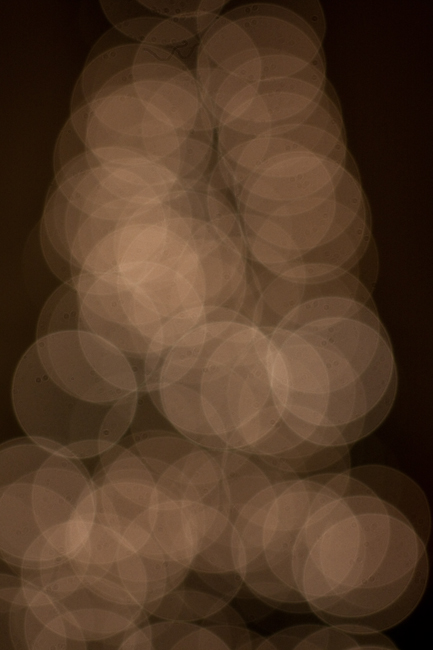
The Beauty of Bokeh Revisited

I know – the blog has not gotten much attention lately.  My apologies – but after the job loss, and pounding the pavement, my schedule has tightened up considerably, so the “planned posts” have pretty much been exhausted as I let myself get behind.  The good news is that with several opportunities on the horizon, I am a little less stressed about “real world” economics, and can dedicate some time back to the blog.  A few items of note:

#1 – The Year End Blowout Bash is underway – and LDP/Canon Blogger is giving away a ton of goodies.  I posted details about this last week, but in the interests of giving it a little more “face time”, I would encourage everyone to start thinking about their “giving” themed photos – could mean some seriously cool prizes coming your way to start the new year off right!  More details on the prize package and such here:

#2 – The 3rd edition of the LDP Newsletter is forthcoming – with some little known tidbits about the guests on most recent podcasts, including nuggets from David DuChemin and Andie Smith, as well as the monthly roundup, great quotes and christmas/holiday ideas for the photo buff in all of us.

#3 – With many things under way both professionally and personally for this time of year – the posting schedule that I had been adhering to for most of the year (hardware, software review, composition, podcast, etc.) is likely not going to be followed as strictly as things will be done more on a “catch as catch can” sort of thing.  If you like tuning in for one thing or another – keep on reading because the stuff you like will be there, just maybe not on the schedule you are accustomed to.

#4 – Last up, I’d like to point out that the donations tab is still active, and all are welcome to contribute via that conduit – but in the interests of getting some tangible things back to the reader and listeners that have been so encouraging, I am going to be coming out with some short eBooks (5-10 pages max) and there is a new link for the website to bookmark for that content:  https://canonblogger.com/store  While I am getting a fairly good idea of things readers and listeners would like to see/hear, feel free to send in questions, comments, suggestions and the like for store content as I am open to input.

So, with the vegetables out of the way, I’d like to delve into the “meat and ‘taters” segment of today’s post and that lies in the title:  bokeh

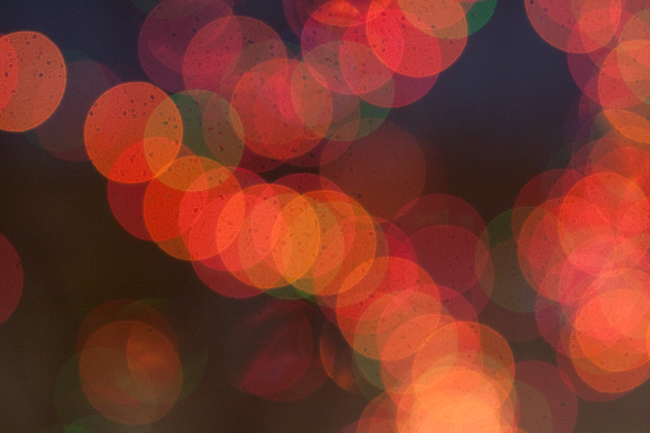
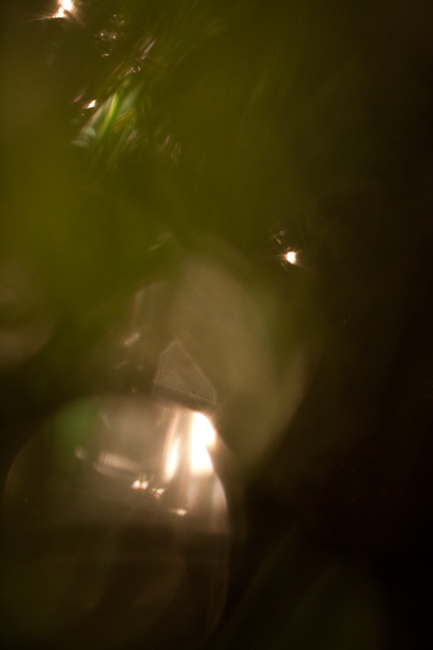
For those of you that may not be aware, bokeh refers to the blurred portions that are out of focus behind your subject matter.  The quality and nature of that out of focus portion can really enhance a photo, and can even become the subject matter itself when looked at creatively.  Now, I‘ve talked here on the blog about bokeh in the past, but in the spirit of the holidays, I thought it would be fun to share some samples of images where I actually forced the entire scene out of focus, to basically make the bokeh the subject:

The Beauty of Bokeh #1

The Beauty of Bokeh #2

The Beauty of Bokeh #3

The Beauty of Bokeh #4

The Beauty of Bokeh #5

As the samples show, you can make some pretty fun use of blur and bokeh.  Shapes lend themselves well, and varieties in colors, as well as monochromes too.  Another thing – when getting bokeh and blur – don’t worry too much about noise and crank the ISO if need be – it’s all about your creative mind.  You can remove noise if you must, but the idea is to capture something in a new way and getting bokeh this time of year specifically can be a lot of fun.  A few suggestions though:

    1. Look for shapes, as suggesting what the subject might really be can catch visual interest by teasing the eye – you know what it is by the shape…
    2. Look for light, because without much variation in light or bright spots, the bokeh will end up looking like just some smudges of a limited tonal range
    3. Use your best lens(es) as these produce softer bokeh – less angular edges, and more rounded or smooth textures, which is usually better for bokeh (“better for bokeh”, did I just say that?)
  1. Shoot wide open, then switch to manual focus and intentionally blur – push the lens further out of focus for variations on your bokeh elements.   Watch what happens and adjust to taste.

So, there’s a few ideas for you – there could be an eBook coming out on this later with more samples and suggestions so let me know if this whets your appetite.  Do you like the idea?  Want to see more?  Get more tips on shooting for the abstract?  Do the photos above help or hurt the idea?  Do you like them or think there are better samples?  Got any of your own?  Feel free to post links to your own libraries of bokeh and blur for everyone to enjoy – there might even be a newsletter mention in it for ya! 🙂

That’s gonna do it for today – coming up later this week, the aforementioned newsletter, another podcast, and much more, so keep on shooting, until then, may your batteries be charged and your memory cards filled with lots of photos this holiday season.  Now get out there and shoot ya some! 🙂

Podcast #35 is now live!

The latest episode of Learning Digital Photography is now live and ready for your download and listening pleasure.  As always, there’s news, interviews, and listener questions and answers – and this time it’s a theme of Treats, Travel and Tips.  I had the pleasure of bringing Andie Smith back to the blog/podcast and we actually had a chance to sit down and really chew the fat on a lot of stuff.

  • News
    • Nikon Contest – $100,000 Giveaway!
    • Saturday Night Live recorded on a Canon
  • Techie Tips for Shooting at Holiday Events
  • Interview with Andie Smith
    • AndieSmithPhotography.net
    • Andie.Smith on Flickr
    • @AndieSmith on Twitter
  • Recommended Reading
  • Listener Questions and Answers
    • Gift Ideas
    • Monopod Recommendations
    • Why the 800×600 Aspect Ratio for Giveaways?

That’s it for today – make sure you go grab the podcast from either the folks at PLM or via the iTunes feed.  I’ve now added a page (check the top header) where you can go grab them if you forget… 🙂

Happy shooting and we’ll see you back here again tomorrow!

[display_podcast]

December Giveaway News

A few days late, but the year-end giveaway is quite exciting as there is just a ton of good stuff going into this giveaway.  Here’s the inside skinny on what the winner is going to walk away with in December:

  • A free copy of the “Within the Frame”, the wildly successful and great book donated by David DuChemin!
  • A free copy of “Visionmongers”, the latest book from none other than David Duchemin!
  • A free copy of Photomatix, the software known for its HDR processing, donated by the folks over at HDRSoft!
  • A free 16″x20″ gallery wrap of a print of your choice, printed (and donated) by the folks over at MPix!
  • and as if that is not enough, the folks at Red River Paper have also expressed interest in joining the gievaway frenzy, so it looks like there will be a paper bundle in the mix too – (more details on the bundle specifics as those come in!)

With over $400 in free stuff, this is surely going to generate a lot of interest, so this go around, the guidelines are a little stricter than normal.  Here they are:

  1. Limit of one photo entry per person.
  2. Also, please make sure your photos are taken during the month of December.  I know – there’s a few days missing, so it’s less than a full month to shoot, but the theme is somewhat appropriate…more on that in a minute. Just remember, no archives!
  3. The  longest side of your image should be no larger than 800px or shorter than 600px.  Don’t confuse this with a 800×600 aspect ratio – the second side of the photo can be any length you want – just make sure the longest side is no larger than 800px and no shorter than 600px.  All entries should be posted in the Flickr Contest Thread.
  4. All entries must be live before midnight December 31st.

So, the theme is all that remains.  Since it’s a season of holidays far and wide, we’re going to go with the theme of:

GIVING

That’s it – interpret however you like.  Just tie in that theme somehow, and enter your best photo in the Flickr thread.  Good luck all, and may the best shot win!  Happy shooting, and we’ll see you back here again tomorrow!  Many thanks to David DuChemin, Mpix, HDRSoft, and Red River Paper for their generous contributions.  Now, let’s wow them with some amazing photography!

P.S.  Just a little reminder that the blog is still taking donations to not only help offset the cost of maintenance, but also now to help pay the bills – the “curveballs” referenced the other day was an abrupt notice that my position was being terminated.  So, please help to keep things alive and online through the holiday season!  I am going to try to get some extra special content out there for everyone so you can also get some use out of this feeble old mind for any donations (or purchases…) but no guarantees there yet.  (Special thanks to Rob Jones from Towner Jones Photography who has already donated very generously to the cause though…)

December Calendar and blog alert

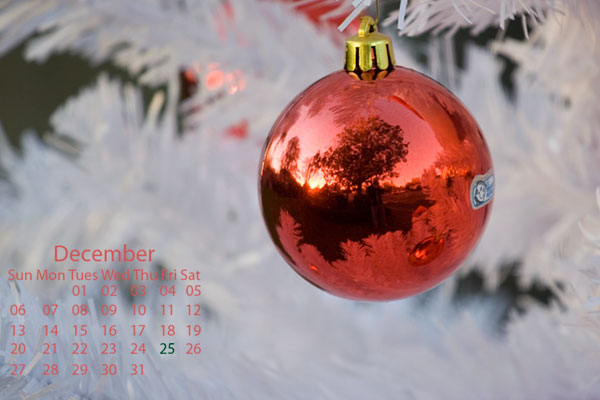
Happy Tuesday folks!  A few curve balls have been thrown my way recently, so the content may shift a little and be more sporadic as I make some adjustments both professionally and personally.  However, in the interests of keeping things positive, the December Calendar is ready for download!  Enjoy the Christmas-themed desktop:

December Wallpaper
December Wallpaper

Here are the dimensions available:

1600×1200 px

1280×1024 px

1024×768 px

And for those of you that know the specifics of the curve ball – there’s a donation button on the sidebar!  If you like the desktop calendar download, feel free to help off-set the curveballs from there directly!

[wp_cart:Calendar:price:2:end]

More content is coming soon for all too, so be sure to stop back regularly!  Enjoy the rest of the week and keep on shooting! 🙂

Ten for 25!

In keeping with the impending Giftmas (yes, I am spelling that right, and thanks to Yankeefoxtrot  on Twitter for the name), and hopefully in time for your holiday shopping, I have assembled a cornucopia of items to share with you either as the photographer, or as the one with a photographer in the family.  The best thing about this list though – all the items are $25 or less.  After all, the economy is tight – we all know it and everyone is cutting back, but there’s no reason to feel denied simply because photography is known as an expensive hobby!  This way, there’s also no need to feel like you are asking for someone’s first born, or that the guy/gal is just in a hobby that is too expensive to give something photo-related.  Actually, that’s just one of the best things about this list.  The other is that these are all items that I either own, or want for my own gear bag.  So, take note, link this post, and enjoy!

  1. Battery Caddy – this is probably my most appreciated item.  Ranging in price from $5 to $14, I absolutely love mine and have been meaning to get more.  (Thanks go out to Scott over at Weekly Photo Tips who sent me mine as a prize for a photo contest last year – I literally love this item!)
  2. Eneloop Batteries – Since you have a battery caddy now, you may as well stock it with batteries.  Yeah yeah, I know, batteries for flashes are so mundane, but get yourself a set of Eneloops and you may re-think this.  These guys are not only super powerful but they retain their charge much longer than traditional rechargeables.  Plus, they really do seem to have the staying power of traditional alkalines.  A set of 4 of these can be had from any store, whether it’s B&H, Radioshack, or Newegg.  The link above takes you to Sanyo’s page (the folks who make them), and it includes a whole laundry list, which includes Costco!
  3. Stickey Filters – Okay, I am cheating here for two reasons.  First, because I discovered these from another list (Scott Kelby’s Gonzo Gear Guide), and second, because the price is actually $49.95.  But here’s how I justify it – you get two sets of these stickey filters, so it’s really like they are $25 each.  Lame?  Kinda, but these are so cool, you’re gonna want a set anyway.  These guys are basically gels that have a sticky side that slaps to the front of your flash and act as a filter.  Boom.  Done.  Stickey Filters look to be so cool!  No more cutting and using Velcro on your flash, no more buying sheets of gels and finding a place to store them.  Stickey Filters seem to be the answer to what the gellin’ photog needs in their gear bag.  Plus, they offer a lifetime replacement!  That’s impressive…
  4. Camera Bubble Level – These little doohickeys are awesome.  My bubble level on my tripod cracked about two years ago and the liquid drained out, rendering it useless.  I’ve been meaning to replace it until someone (I forget who) pointed these guys out to me.  It slides in your hot shoe mount too, so you know the camera is level.  Amazon is the linked place, but these can be found many places for $10 or less!
  5. Remote cable release – Okay, okay, I also stole this from Scott Kelby’s list, but truth be told, I also love mine (got it at the local camera store for like $39, but that was only because I didn’t want to wait the week for Amazon to ship me one.  YOu can get them for any brand, but I have to go with Canon given the blog name.  It’s linked above, and can be had for $24.95 at the time of this post.
  6. Joby Gorillapod – I can’t tell you the number of times I’ve found myself out and about with my P&S only to wish I had my tripod with me for some stability just for a few seconds.  I’d heard about the Gorilla pod but never really thought about it for my P&S because I didn’t have a small portable until fairly recently.  When my brother showed up for the holidays with the Gorilla Pod and his P&S, not only was he more portable, but also more stable.  (Don’t you hate it when your brother beats you at your own hobby!)  I had to get one, and you should too!  For the P&S original, it’s $21.95!
  7. Earbud Microphone set – When I first got my iPod Touch, it was disappointing to learn that the included headphones did not include a microphone.  The tech in me should have known, but I rushed back out to get the Apple-compatible headset.  When I didn’t have it with me one day, I tried the set for my Blackberry and sure enough, it worked just fine.  (Why wouldn’t it, it’s the same technology in headsets – all with the same adapter.)  Now that my “Apple-certified” headset has developed a short, the replacement set will be the one from Plantronics for $5 from Amazon.  Shoulda gone there first!  For those out there without iPhones, Touches, or Blackberries – most phones these days come with a headset plug, and the mini-RCA should work in all of them.  If not, you’re only out $5.  Small price to pay for the ease with which these operate (and I think they sound better too!)
  8. Microfiber Cloths – I know, it sounds crazy, but these do get dirty themselves and you must throw them out.  No biggie though when a10-pack costs a mere $17.99 you can’t go wrong!  You can get different sized cloths from camera vendors like B&H, and I think even Wal-Mart Visioncare has a 3-pack for like $10 bucks, but I like the ones from Simply Good Stuff (linked) simply because the price is right, they are designed for lenses, and it’s just a cool name for a website.
  9. Gaffers Tape – anyone who’s been around photography for any amount of time has heard of gaffers tape.  It’s low tack so the sticky stuff won’t adhere to your gear, but man can it save your $%^& in a pinch.  For a mere $5 you can get 12 yards of the stuff from B&H, so the question isn’t “Why?”, it’s “Why not?”
  10. Flickr Pro – there’s so much more you can do with a Flickr Pro account over the standard free account.  At only $24.95, it meets the criteria, and the photog will fully enjoy the added features, including statistics, unlimited uploads, and so much more.  Plus, you can give it to them online, so it saves all that added expense of tape and wrapping paper!

There you have it, 1o things under $25 (well, 9 since I kinda cheated on one).  Have any ideas of your own?  Products or items you prefer?  Something blatant I missed?  I’m sure there are lots of other ideas out there, so sound off in the comments and let others know about your “gotta have it gadgets”.!  Just in time for the holidays too!  Happy shooting all, have a great weekend, and we’ll see you back here on Monday!

Software Review: Apple iPhoto


Mac Madness (Mac Systems)

As much as we glow and sing the praises of Photoshop and Lightroom, native photo editors that are included in Operating Systems are often overlooked as alternatives for photo editing and management.  This is primarily because… well, let’s face it, because they are not very good at photo editing…or management.  But think about what we are comparing them to…comparing Windows Picture and Fax viewer to Photoshop Lightroom?  Is that really fair?  What about comparing Photoshop Creative Suite 4 to iPhoto?  Is that a good apples to apples comparison?  If you think about it – not really.  We’re talking full-fledged dedicated programs that have years of programming and design and development put into them versus an add-on component for an operating system.  It’s really an apples to oranges comparison, and as a result, the programs themsevles suffer a bad beat.

So, I decided to take a look at the native photo editors for Windows and Macintosh – those being the Windows Picture and Fax viewer and iPhoto.  Well, because Apple computers were really designed with the designer and graphics guy/gal in mind, it’s no surprise that iPhoto is more robust than its Windows counterpart.  This is not to bash the Windows Picture and Fax viewer, because it does serve a need, especially when I need to preview an image in a pinch and make some very very minor edit like a teensy crop or something.  It’s not great, but it’ll do.

For that reason, today the focus (if you’ll pardon the pun) is more on iPhoto.  Now, keep in mind, I am operating off Snow Leopard with the ’08 version of iLife here, so my iPhoto is not the latest and greatest, but the nuts and bolts are pretty much the same from what I can gather, so this review while not complete, can give a good synopsis of what works and doesn’t in iPhoto.  Let’s begin:

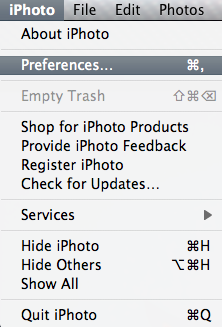
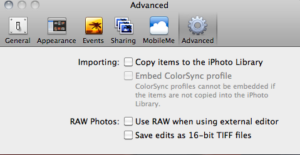
iPhoto Preferences Option

File Management:  B+ Let’s face it, we are making more and more images these days and applications need to be able to keep up.  If you don’t have some sort of back end database that can quickly render previews, without copying photos over as duplicates in low res formats that waste drive space, it’s gonna get ugly quickly.  iPhoto has the unfortunate option of copying files over on import.  While this may seem to be good for redundancy sake, since we’re all aware of the need for backups these days, but I would not recommend copying everything into iPhoto.  First off, the “copy” of your image is embedded in the iPhoto library and can only be opened in iPhoto.  If the library crashes for any reason, then those copies are gone.  I would rather have two copies accessible from any application.  Second, as your library expands, the longer it will take to load iPhoto and the more susceptible it will be to crashing.   Since this is, by design, supposed to be a “light” photo editor, you want to avoid making the footprint of the application larger than necessary.  For these reasons (and others) I would advise against copying your images into iPhoto.  To avoid this, when creating your first (or a new) library, simple click on the Preferences, then Advanced Menu options, where you can de-select the option to copy images over.


Uncheck the Copy Option


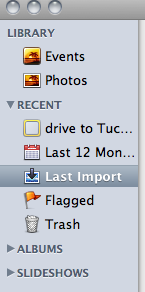
Albums and Sideshows

When it comes to managing your photos though, iPhoto rocks.  Much like Lightroom, you can build the equivalent of collections (as albums), and create slideshows from those albums.  You can also export slideshows with music which until Lightroom beta 3 was unavailable in any advanced photo editor – you needed a separate application!  Score one for the folks at Apple here!


Music in Slideshows is a Plus

Image Editing: A- Most of the basic functions are there, cropping, red-eye, image rotation, and even horizon correction.  Not much to improve upon here without entering the realm of serious photo editors, which I wouldn’t hold an OS program to…at least for now.


Editing options in iPhoto

Support:  B If your Apple product (your Macbook, iMac, or MacPro is under warranty, no problems – they got you covered.  It can include long wait times occasionally, but that’s to be expected from a company of Apple’s size.  (I know, I’ve vented about this before, but in this case, it has nothing to to with the program, because the support is there…when you can get through.)  What happens when your computer warranty ends?  So does support – it’s the nature of the beast, and support has to end eventually.  For the time being though, there is enough documentation out there on iPhoto to the point that most of us can get by with asking questions in various forums and Google research.  So, while support is not the best – it’s about an industry average, nothing to write home about, but also nothing that really garners complaints either.

There you have it, my take on the iPhoto editor.  I don’t really use it for major edits, or much more than occasional snapshots that I share on Twitter, forums, and other such venues.  Having offered up my two cents, it’s time to serve things up for the listening and reading audience.  What’s your collective take on iPhoto?  Do you like it, love it, or hate it?  Anyone using iPhoto ’08 or ’09 for managing and/or editing their photos?  What are your thoughts?  Sound off in the comments, or let me know via email.

In the meantime, that’s it for today…make sure you take a moment to get your photos into the November contest giveaway thread – there’s now less than two weeks left and the prize package is pretty cool!  The link is in the header, but here it is again for convenience:  Flickr Contest Thread Happy shooting all, and we’ll see you back here again tomorrow!


Hardware Review: Western Digital Passport Drive

For those of you on Twitter (and following me), you know that over the weekend, my iPhoto library on the Mac was either corrupted, or somehow compromised in its integrity, because when I went to add in a few snapshots to it for sharing with the Twitter-verse, it crashed on me.  Believe it or not, I was not worried, because I had a back-up copy of all my snapshots on my Western Digital Hard Drive.  I blogged about this puppy before, in showing you how to add a second drive to your laptop in 10 easy steps.

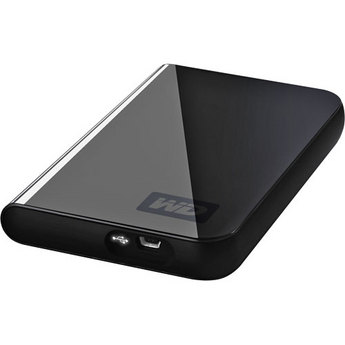
Western Digital Passport Drive

Well, not only is the second hard drive a great way to increase the capacity of your laptop, but it also saved my bacon this weekend, because when the library was corrupted (I use the method of not importing a copy to my library and save the library on the main OS drive), it was simply a matter of creating a new library when opening iPhoto, changing the option in Preferences to not copy images in, and then sitting back and waiting the hour or so for the import to complete.

What I like about this Passport Drive though is the fact that I have dedicated storage for my photos, music, and documents independent of the OS drive.  I also can easily remove it from the laptop if needed.  Lastly, I also like it because I can expand this fairly easily.  To do that, I would just get another drive, plug it into another USB port, and simply drag-and-drop to copy to the new location.  The old primary can now be easily disconnected, become a back-up, and the new one becomes the primary.  Another great feature of these is that you can easily copy data to and from it, and with surprising ease.  I cannot verify this, but suspect that these Passport drives are solid state drives because they don’t get very hot, and it’s just been so awesome for letting my photos and music libraries expand without me thinking much about them.

The downside?  They are a little pricier than their larger drive equivalents.  With the ever-decreasing cost of storage these days though, it’s well worth the additional 20 cents per gigabyte in my opinion!  (My 320 GB was like $80 – it goes for $71 now at B&H.)  You can get these pretty much anywhere from your local Wal-Mart, to Best Buy, Newegg, B&H, and other retailers/e-tailers.

Oh, and there’s a moral to this story too:  always, always, always…back up your data! For more reviews and other information on this drive, feel free to find your favorite review resource online.  I like the ones over at TestFreaks myself (although this is a rating of the 500Gb unit), but as with any review resource, your mileage may vary.

In other blog notes of interest:

  • The Flickr contest is in its final two weeks starting today – it’s a prize package of three pretty sweet items, so be sure to get your entry(ies) in soon.  At stake is a $25 gift card to B&H, the 11th Season of Photoshop User TV, and a book from Photographer/Author, and Friend-of-the-Blog, Matthew Bamberg.  The Flickr thread is linked up at the top of the blog, but here’s a quick link for easy reference.
  • Speaking of the links at the top of the blog – you may notice that more content is being added.  The Navigation Bar is being reorganized to include more “About” pages, Archives, My Gear, and much more.  Feel free to peruse those at your leisure.  More content is coming soon too, so don’t just be checking things out in your RSS feeds – lots of content is available directly from the blog!
  • Congrats to Mary Angelini as well for her witty comment from the Scott Kelby book giveaway  –  stop by her site for a good set of photo galleries to peruse too (and to congratulate her).

That’s it for today…happy shooting and we’ll see you back here again tomorrow.

Creating Compelling Captures – the Podcast!

Last week we looked at 5 different ways to create compelling captures here on the blog.  Well, today the latest podcast is available where we go into a little more granularity on the subject.  A little dash of some photo news and tidbits are thrown in too, but more importantly, the previously hyped and promoted conversation with David DuChemin is now live and ready for your listening enjoyment.  We look not only at how to create compelling captures, but also at how the idea of controversy fits into the picture.  Can controversial pictures make for more compelling images?  What defines controversy?  Is it the photographer, the conditions, the viewer, or something else altogether?

David and I also talk about his travels, share a few anecdotes, and look at the world of photography in new and exciting ways – coming at things creatively rather than technically.  Lots of great stuff for your listening enjoyment.  Here’s the show notes for Episode #33 of Learning Digital Photography:

News
Canon 7D gets firmware update
Image Analysis using 3-d Software
Toyota grabs images off Flickr

David DuChemin Interview
Within the Frame
Visionmongers
On-line E-books

Compelling Captures Summary and Contest Notes
Compelling Captures
November Contest

That’s it for today, make sure you get the podcast from either the download link over at PLM, or via iTunes and let me know what you think!  Happy shooting and we’ll see you back here again tomorrow!

[display_podcast]

PODCAST ALERT!!!

The hosting folks are having some technical difficulties, so please bear with them as they sort things out – in the meantime, the ad-free podcast can be downloaded as an mp3 file here!

Useful Resource

In the interests of giving people enough time to participate, here is the awaited review of Scott Kelby’s Digital Photography Book, Volume 3.  To be eligible to win this book, simply comment on this post – you have until Friday to make a comment – the winner will be announced then.  One entry only per person, and free shipping to anywhere in the US.  If you live outside the US you can still participate, but shipping won’t be free.  Details to follow for the winner…  Good luck all and thanks to those at NAPP and Kelby Media for sending the book out (little did they know I’d be turning around and giving it away again).  So, ready for the “review”?  Here goes:

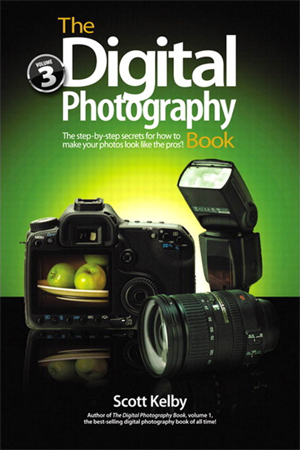
Scott Kelby's Digital Photography Book, Vol. 3

The relatively recent release of Scott Kelby’s latest book on photography has met well with readers and reviewers so when I got an opportunity to read through it in some detail, figured this would be a good time to give a Canon-centric rundown.

First off, the book is interestingly organized.  Scott’s impressive background with Photoshop has lent itself well toward his particular writing style in that a work flow of sorts can be how reading material is organized.  With photography, a “work flow” is not as easy to adhere to because things will vary from one type of environment to another.  There are some basics that will be the same across the board, and given the layout of this third volume, I am guessing he found a flow for the first book or two.  For this third book though, it’s not typical “Kelby-esque” style writing.  Sure, the wit still comes through, and for those accustomed to his writing style, this is a welcome element.  The flow aspect being different though, takes some adjusting.  To that end, here’s how the book is laid out in its chapter organization:

  1. Flash Tips
  2. Studio Tips
  3. Lens Tips
  4. Product Photography
  5. Outdoor Photography
  6. Portrait Photography
  7. Sports Photography
  8. General Photo Tips
  9. Avoiding/Dealing with Problems

Because in previous works, I have been accustomed to reading something like a story as things easily transition from one element to the next, this was a bit more challenging at first.  Once I made the shift to this new style, it became easier – so, my recommendation, read this book more as a quick reference guide.  The tips, tricks, and pointers he gives on all subjects are spot on for the specific subject matter.  The content shifts quickly though with each tip lasting about a page (and this includes graphics).

When all is said and done though, would I recommend this as a book to read?  I can honestly say that though I’ve probably advanced past his introductory books, this is definitely a keeper.  Not only are there some great tips in here, but they aren’t just cheesy ones like “Don’t forget to take your lens cap off…”  These are real tips, true gristle that you can sink your teeth into.  Want to know how to use mirrors?  Scott tells you!  How about what to do if your flash isn’t bright enough?  Scott tells you!  There’s even nuts and bolts info on things like how to get specific effects with your photography in all genres of work.  I think what I like best is that he actually goes through some of the specifics for both Nikon (his camera gear of choice) and Canon equivalents, for camera and lighting settings.  This way no one is left out (unless you shoot Pentax, but then even there, the tips for photography still apply.)

The last element I think is worth mentioning is that while this book is not complete on any given subject matter, that it is still a good choice  because now you aren’t trying to get everything out of one book – you get nuggets and tricks and tools for any genre that can help you.  Even if you knew  everything in this book at one point in time, it would still be useful because we all need reminders every once and a while, so this is one to be sure to hold on to.  Scott gives enough detail to get you started in whatever field interests you – or even enough to take you from beginner to serious hobbyist, or even to maintain your skills as a general reference guide.  Is it too late?   Can I retract the “Comment Contest” and keep the book?  No worries – out it goes for some lucky reader.

I do feel that I should give some fair warning here though – this book is not for beginners.  If you’ve got a few things down, some of the basics of gear and lighting, and known your rules of composition, then yes, jump right in, the water is warm.  If the terms I just mentioned are somewhat new or you are still getting them down pat – you might want to start with his Volume 1 or Volume 2 book (or even just keep reading the blogs – I know a few good ones! 🙂 )

So, there you have it – thanks to Scott for putting out yet another must-read book (what’s he at, like 60 books now?).  Thanks also to Kelby media for sending this one out – I wasn’t sure if it would come or not.  And lastly, now it’s time to share your thoughts…did you like it?  Did it stink?  Needed more?  Needed less?  About right?  Should he switch to Canon and leave the Nikonians behind?  (Ok, just kidding on that last one…)  But sound off – this is your chance to win the book for free!

Happy shooting all, and thanks in advance for all that stop in to comment – don’t forget the month long contest going on over at Flickr to win a bunch of prizes including some more stuff from NAPP.  It’s in the Flickr tab up at the top, but I’ll link here again for convenience sake!  We’ll see you back here again tomorrow!