Hardware review: The Tether Table

A while ago I was thinking about what would be the best way to set up all the hardware for a studio scenario and blogging about it with the reading audience.  The idea of the Tether Table came to me quickly and on approaching the folks at Tether Tools, it was met with equal enthusiasm.  So, in short order, one was dispatched to me for review here on the blog – this will be the one given away in the upcoming end of month finale for the March Flickr Contest.  So, without further ado, I give you:

The Aero-Master Tether TableTether Table Aero Master
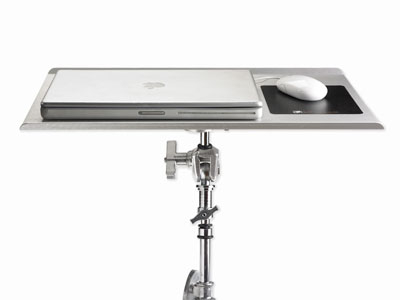
The Tether Table is a pretty straightforward device – it comes with the table itself, made out of T6 Aerospace Aluminum (whatever that is).  Regardless of what the official name is – this table is pretty solid – I have no doubts as to whether it might bend under the weight of a laptop.  What I found to be really nice is that it spins onto a tripod (sans head of course) quite nicely, and just as easily fits over the top of a light stand.  The stability is also pretty equal between the two once it’s locked down.

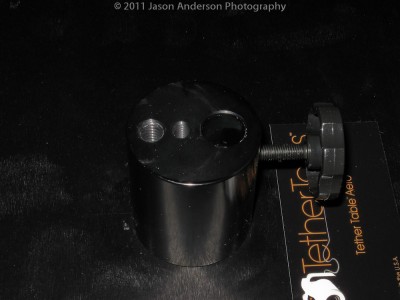
So, how does the table lock down?  There’s four little Allen screws that tie the female acceptor tube to the bottom of the table through the top.  Their design makes them lay seamlessly flat so no worries about your laptop getting off kilter.  Here’s a few sample shots to show you the design:
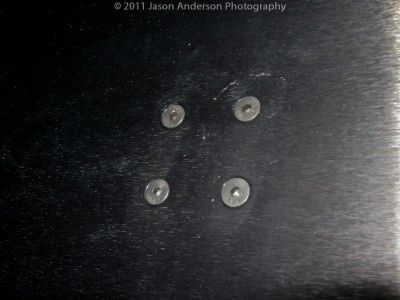
Allen Screws (on top side)

Female Acceptor Tube (bottom side)

The other part that bears mentioning is the additonal kit item (not included normally with a Tether Table) is the Jerkstopper – a handy little device that attaches at both the laptop and camera end to avoid getting cables tugged out of your connection points.  They really help to keep equipment from falling, plugs or connectors from getting ripped or damaged, and the add-on value is well worth the $22!  Here’s the product shot from Tether Tools site to give you an idea…
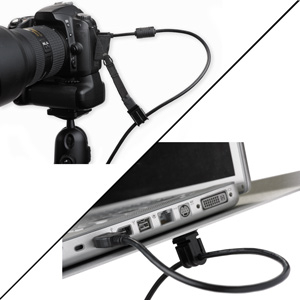
Jerkstopper Kit

The first problem I found was that it does require either a light stand or a tripod.  So, if your camera normally goes on a tripod (mine does) and you have an external flash that goes on the light stand (mine does), then either the flash has to become more of a portable device (enter the wireless trigger system), or you need to get another light stand.  I initially lucked out in that I am/was running the triggers through their paces for my good friend Kerry Garrison over at Blackbelt Lighting for an upcoming review this Friday, but the need for another light stand has become pretty clear to me.  When I am using two-light setups though, things could get complicated, but that’s a personal gear issue, nothing really to do with the Tether Table itself, so no harm no foul there.

The second problem I found was budgetary.  While the sturdy construction and clean polished look and feel are certainly features I can appreciate, being on a budget, the cost of entry to obtain a Tether Table of this caliber is a little pricey for my blood.  At $179 for the Table and another $22 for the Jerkstopper kit, we’re over $200 and while it’s not inconceivable, it’s certainly rich for the enthusiast blood.  For most professionals it is easily justified and likely something you can itemize in an invoice if needed.  So, not completely out of reach, but up there for sure.  Oh well, no one ever said photography was going to be cheap!

When all is said and done, I do think it’s a worthwhile investment.  These can be invaluable in a studio or on-location shoot where you need to be moving around in between shots.  The benefits of both the Tether Table and the companion Jerkstopper could be invaluable in a number of environments, including macro photography, food photography, portrait photography, and most product photography where a dedicated preview monitor would be super handy to have! To that end,  I will be sad to see it go, but alas, the Contest Series gets priority!  Thanks to the folks at Tether Tools for their generous contribution, and best of luck to all the participants!  (If you haven’t entered your photo yet, the theme is FLAT, and the contest link is both here and at the top of the page!)

Have you got an idea for a product review?  Is there something you’d like to see a test drive on?  Sound off in the comments and I’ll try my darndest to make things happen!  See you next time here on the blog.  (And don’t forget the Facebook page where the “Behind-the-Scenes” video is posted on using this very table!…”Likes” and comments there are always appreciated too!).
Focus Stacking: A Primer

With all the talk and hooplah over things like dynamic range, HDR, Megapixels, and the latest and greatest bells and whistles in photography, some of the staples in composition are often over-looked.  Focus stacking is one such area.  Most folks kind of look at me quizzically when I bring this topic up, primarily because it is rather niche and unique, but it does rely on principles of composition that have been around for a while.

First off, focus stacking is used mostly in genres like macro photography, where intricate detail is needed across a range wider than what the aperture will allow for during composition.  The principle is much like the layered approach to HDR imagery – where you stack layers of images with different compositions on top of each other and blend the right portions through the entire image.

Where focus stacking differs from HDR is the types of images that you are layering.  In HDR images, you are compositing images with different exposure values over one another.  In focus stacking, you are not changing the exposure values, rather just the point of focus.  As depth of field drops off both in front of and behind your focusing point, the subject will blur.  While this may be an appreciated blurring technique in some cases, in other cases, getting different depths of field from different focusing points can make for a tack sharp macro throughout the range of the subject.

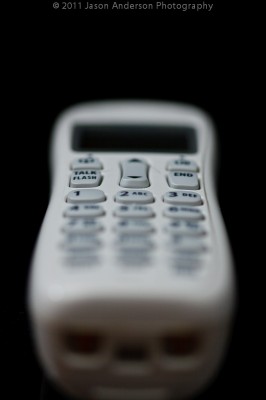
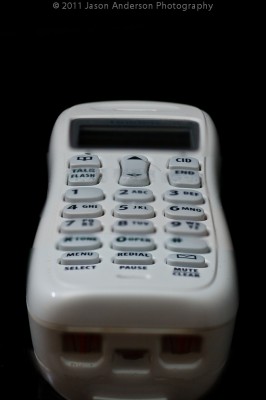
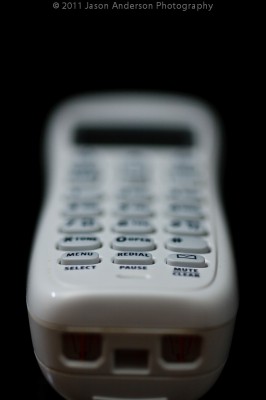
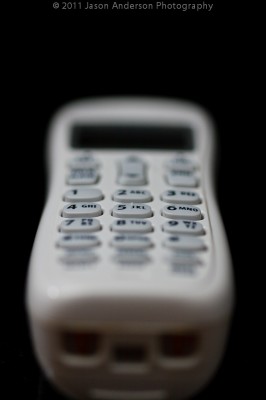
As is most often the case, explaining a photography concept is best done with images, so let’s take a look at an example.  For easy demonstration, I took a white cordless phone and placed it on a black background.  This way color issues are kept to a minimum…

First Focus Point

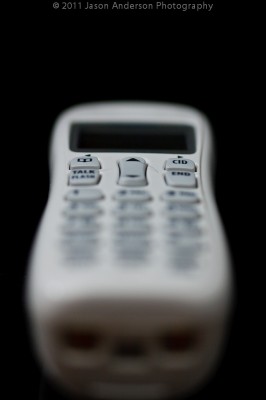
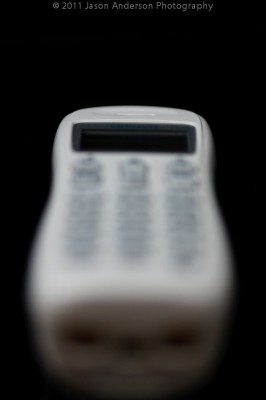
Notice on the first focusing point, the sharpest point is right near the front?  It also quickly drops off into the background as I was shooting at f2.8  The low aperture number means I will have a very shallow depth of field, which is what is causing the blurred background.  To bring the rest of it into focus, I need to “stack” more shots that have a different point of focus.  So, let’s add another few to the composite:

Second Focus Point

Third Focus Point

Fourth Focus Point

Fifth Focus Point

The end result from stacking all these together can be accomplished by any one of a number of methods ranging from the most time-consuming of doing it manually inside Lightroom or Photoshop, and the most efficient one of using 3rd party software.  While several options do exist, the one that has become pretty much the industry standard is that of Helicon Focus!  Their quality of processing is, bar none, among the best I’ve seen.  More on that likely later this week.

In the meantime, here’s the result of an image that has been focus-stacked:

The Final Result

It’s a quick edit, and done with only having focus-stacked 5 images.  If I wanted a really detailed depth of field on something more important than a cordless phone from circa 1990’s, I’d likely have taken at least 10-15 images and massaged them through Helicon Focus more carefully.  More details on this entire process are coming up later this week, including reviews of the Tether Table (which will be given away this weekend as the March contest comes to an end), Helicon Focus, and the light triggers from Blackbelt Lighting.

For a behind-the-scenes footage video, stop over to the Facebook page!  (Be sure to “like” it and share a comment while you are there…)

Turning Tasks into Photos

I had to bake bread for a work potluck today.  That’s ok, I like cooking, and it seems others do too, because most of the time the dishes I serve are some of the first things to disappear.  I decided last night to do something simple, but often popular:  banana bread!

When it was done, the house sure did smell good from the caramelized sugar, bananas toasting, and who doesn’t like bread?  (I know, I know – lots of carbs aren’t good for you…)  But, every once in a while it’s fun to indulge.  As luck would have it, this particular loaf of bread had some nice colors and tones to it, so naturally, I started thinking about my other hobby – photography!

With bread there’s so much you can do from capturing details, to using a shallow depth of field, to creative lighting and shadows, everything becomes a cornucopia of possibilities.  Here’s a few of my selects from just ten minutes of prep, 60 minutes of cook, and ten minutes of shoot time!

Banana Bread 1

Banana Bread 2

Banana Bread 3

Banana Bread 4

Banana Bread 5

Want a slice?  What tasks have you taken and turned them into photo opportunities?  The lesson learned here today (hopefully anyway) is to take something you have to do and make it something you want to do!  In this case, it was a win-win scenario for me, but what about you?  Sound off with your own fun-filled (or food-filling) photo projects!

Podcast #56: Is Blogging Dead?

Twitter, Facebook, microblogging, blogging, Audioboo, websites, statistics, logos, graphics, web design and more!  It’s a lot to take in and more often than not photographers who are just getting started ask me “Which ones should I choose?”  It’s a tough question because there’s no unilateral catch-all answer that will fit everyone.  As always, the answer starts with “It depends…”

So, to better address the question I decided to bring in a pro who deals with this stuff all the time.  That’s right ladies and gentlemen, we have another podcast! This is episode #56 of the LDP show, and I shared about an hour or so with Kirsten Wright talking about social strategies and best approaches and practices.  It’s an entire industry, and there are some who claim to know and then those who really do know their stuff.  Kirsten comes with some impressive credentials and a fresh outlook/perspective that many of us need.  It’s a good kick in the…well, a good way to get motivated to get going in the right direction!

Make sure you check out her site over at Wright Creativity and make sure to add her on your Twitter, Facebook, LinkedIn feeds, and everything in between.  She’s got gems and nuggets of brilliance galore to share.  I’m booking her soon here to help me get things streamlined (in case you haven’t noticed, my schedule has not been as consistent lately as I’d like it to be – Kirsten is my kick in the #$%^!)

If you need some focus, direction, and a good reality check, Kirsten is the one to give t to you.  Get it for free here in the latest episode of Learning Digital Photography:  Is Blogging Dead? with our guest of the hour – Kirsten Wright!

[display_podcast]

Planning a Photo Walk?

Getting together with fellow photographers is always fun – lots of other like-minded people, plenty to talk about, and great for networking, right?  But, at some point you’re gonna have to start walking around and taking pictures.  I’ve found with most photo walks that I’ve attended it helps to have a game plan.  Whether you are the organizer or an attendee really doesn’t matter too much because these tips are intended for both.  Here’s what I mean:

1.  Check the weather – It’s always important to dress the part, and the last thing you want is to be under-dressed (cold) or over-dressed (too hot).  It’s a good idea to check the forecast and to dress in layers.  Allow yourself a layer of removal or addition if needed.  I have several apps built into my Android phone, as that makes it quick and easy to check both the night before and the day of…here’s the four I’ve heard the most about (I use #1)

  1. Accuweather
  2. Weather Channel
  3. Weatherbug
  4. iMap

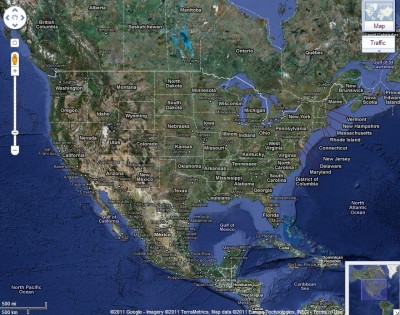
2.  Check the map – With the abundance of online mapping utilities like Google Maps, Yahoo Maps, and Mapquest, it’s easier than ever to see where you will need to be and plan your travel time to the starting point accordingly.  I always allow about 15 extra minutes in case of traffic, Starbucks stops, or other time killers… (if you’re the organizer, publish or share your route with the group so people know where to meet and where the anticipated walk will take everyone…)

Google Map of USA

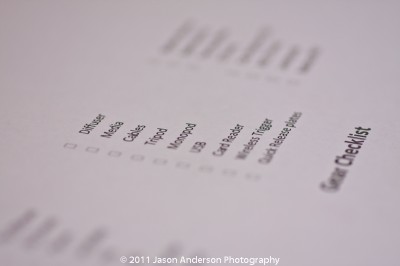
3.  Check your gear – I’m guilty of forgetting things myself on outings, but it helps if you have a checklist to reference the night before when packing (batteries, memory cards, business cards, cell phone, camera, lenses, etc.)

Gear Check

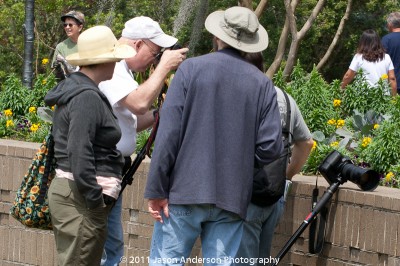
4.  Pick a theme – Whether you are the organizer or an attendee, it helps to at least have a starting point or an idea of what the goal is of the walk.  For instance, on a trip to the Columbia zoo a few years back, one attendee picked a theme of “faces” and came back with some incredible portraiture of the animals in their various habitats.  Often photo walk leaders or organizers may start with something general like “architecture” in an urban location, but it can help to narrow that for your own creative vision to get more detailed.  Narrowing the theme of architecture to something like vertical lines, arches, or even something as simple as windows can help spark that creativity needed to make photo walks productive.  Don’t forget to check with other photogs on their creative path and help and encourage them too (which could be a tip in and of itself!)

Signs of Encouragement

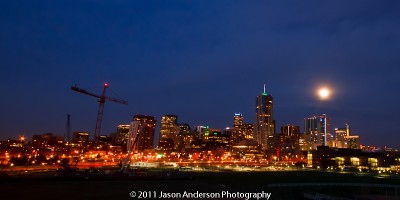
5.  Be ready to adapt – Circumstances change, weather can change, and even the scenery can change.  I was on an outing just last week to capture the moon at its perigree and the skyline was pretty blatantly thrown off by the recent addition of a crane to the area. If you aren’t able to adapt to changing environments, outings can be less than satisfying, so be open to change at a moments notice!

Bad Skyline Shot

That’s just five of many tips and ideas on how to make photo walks successful, enjoyable, and productive.  As always though, there’s plenty more where that came from!  What about you?  Have you been on any recent photo walks?  What’s worked or works for you when you go on outings with fellow photographers? Sound off in the comments with your own ideas!


What’s a Perigee?

Without getting too scientific on everyone, an exciting moment is going to happen this weekend – it’s the perigee!  What is the perigee?  It’s the point when the moon and the earth reach their closest point between each other.  The moon is going to look super huge this coming weekend, and this will be a great opportunity to really get some stellar shots of the moon through even the more common focal lengths we all have in our gear bags.  Even with a 70-200 lens and a 1.4 TC, you should be able to get some pretty awesome full frame shots of the moon, with some pretty good detail!

Here’s a couple tips to scheduling a good moon shoot:

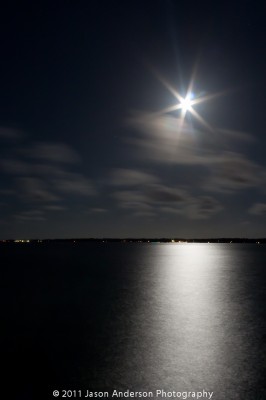
1.  Check the weather in your area – It goes without saying that you don’t want a lot of cloud cover, but at the same time, clear skies mean no heat is staying in the atmosphere.  Since it’s still relatively early in the year, standing around at midnight could be a tad chilly.  Plan ahead, dress warmly, and you’ll be able to stay out longer to get the shots you really want without being cold or uncomfortable.

South Carolina Sky

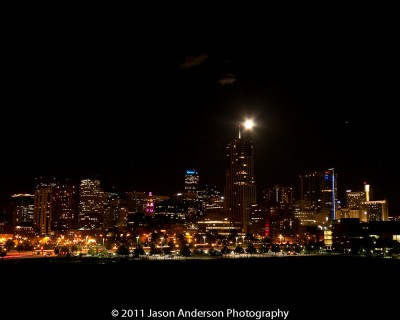
#2.  Location, location, location – In photography, as in real estate, location can mean everything, and a lunar shoot is no exception, even though it’s in the sky.  Depending on the type of view you are looking for, you may want to find some place that gives you a completely unobstructed view of the horizon.  Alternately, you may want to include something “human sized” to give a sense of comparison.

Denver Skyline

#3.  Pick your gear – In astro-photography, you will most likely be shooting at the longest end of your reach, so don’t bother taking the whole kit-n-kaboodle.  Maybe take a variable zoom to stuff in a cargo pocket in case you want a “behind the scenes” kind of shot if going with others, but no more than two lenses are needed.  Don’t forget your tripod and extra batteries, as well as a flashlight.  Other essentials I have on my checklist include my wallet and cell phone.

What stakeouts have you planned in your area?  Taking any friends?  What about your own suggestions and tips for lunar photography?  Sound off in the comments!

Three Tips to Shooting Better Macros

At some point, the allure of macro photography in all its intricate detail entices us all to either buy or rent some glass that has the power to take us to the enchanting 1:1 ratio where we can see things full size!  When you do take the plunge though, there’s a couple things to keep in mind when capturing macro-scale photographs:

Shell in the Sun

#1 – Stay sharp or stay home – Nothing loses the appeal of macro enthusiasts more than an image that is out of focus, at the macro level.  There are notable exceptions of course, but we are zooming in close to see the details, so unless they are sharp, we just aren’t interested!

Antennae

#2 – Keep it simple – Too often, people will jump in and try to capture something highly detailed in a macro shot.  The problem is that often times you are dealing with a very shallow depth of field (low apertures in the 2.8 – 1.4 range), which means detail is lost either in the foreground or the background, or both!  This can be appealing in some cases, to have the fade from sharpness to blur, but in others, it’s not as effective, which means you’ll have to deal with focus-stacking.  It’s kind of tricky, so when starting out, stick to simple compositions like flower buds, water drops, and other such objects of interest (even a quarter’s edge can be appealing).

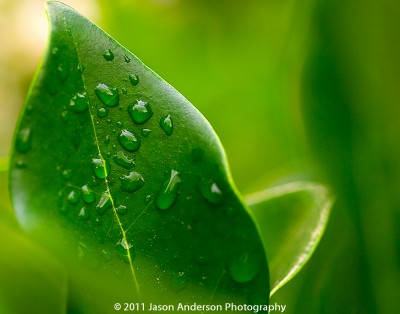
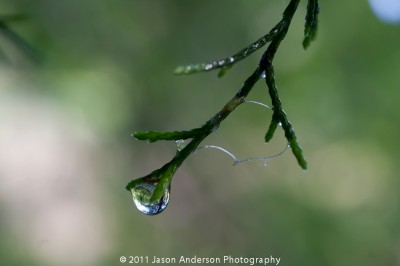
Leaf and Water

#3 Be aware of your background – Even though the background is often way out of focus, the color or tone of that background can make or break your photo.  Make sure it’s either a complementary color, or sufficiently blurred as to be indecipherable.  This shot I took on our street, with the road and vehicles beyond the branches.  They are so out of focus though, it’s literally impossible to tell the difference.

Raindrops on the Street

So, what types of scenes sound appealing to your macro instincts?  Consider buying a macro lens (or renting) and taking one out for a test spin.  With these three tips (and others) you will be well on your way to taking and making phenomenal images!

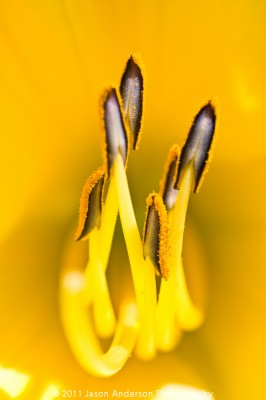
Yellow on Yellow

Don’t forget to sound off in the comments with your own tips, tricks, thoughts, and shots on macro photography!  Happy shooting and we’ll see you back here gain for another round of photo goodness!


Enter your email address: 

Delivered by FeedBurner 

Depth of Field Matters!

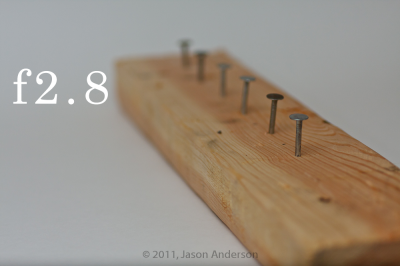
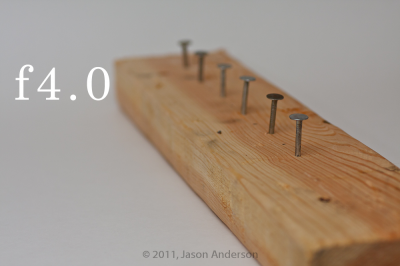
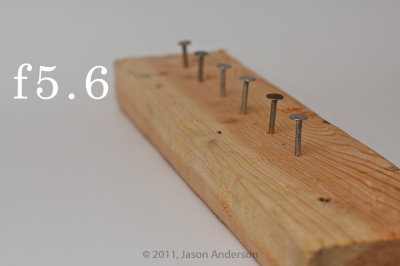
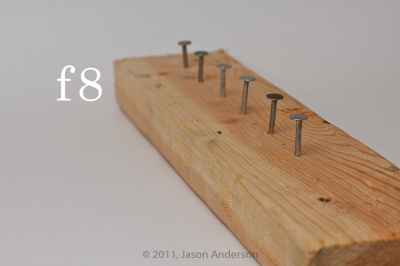
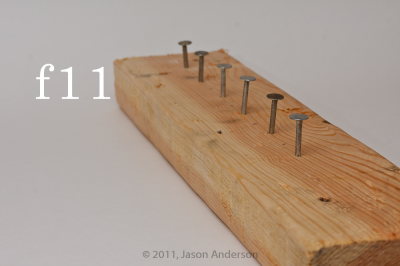
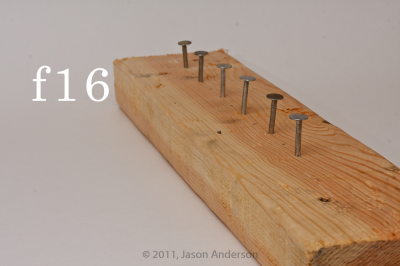
When we approach the topic of depth of field, most people nod along about how the composition can change pretty dramatically when moving between various apertures – but have you ever really studied the differences?  Take some time and do an exercise.  It’s not that difficult, and really seeing the differences in photos can totally lift the roof on your approach to composition.  For this exercise, I took a scrap piece of lumber, and nailed 6 framing nails into it about two inches apart from each other.

Step two was to set up the lighting, the tripod, and the “wood art” in a scene where i could adjust the aperture and keep everything else constant.  With my own little studio set here in the house, that was accomplished easily enough.  I set the focal point on the nearest nail, and dialed in the exposure I wanted.  Then, I switched to manual focus so as to not bump or have the camera try to shift it for me and dialed through the various f-stops.

Step three – simple post production:  camera calibration, white balance, and lens correction.  I also applied a 75 value to the sharpening slider from the detail panel, but did so universally.  So, with everything but aperture constant, here’s the results:

Aperture f2.8

Aperture f4.0

Aperture f5.6

Aperture f8.0

Aperture f11

Aperture f16


So, at this point you should have enlarged the photos above, and scrolled through the entire gallery so you can see exactly what is sharp at f2.8 all the way through f16.  By the time you get to the end, so much has changed and often gradually, it’s hard to see the difference.  But if you look at the f2.8 and f16 shots side-by-side – they are worlds apart compositionally speaking.  Now I grant you, nails hammered into a 2×4 piece of lumber 2″ apart is not the most artistic piece ever shot, but it hopefully illustrates what can happen to a photo simply by changing the aperture and keeping everything else constant!

WHere do you think creatively adjusting your depth of field would work?  Try to think outside the box here too.  A few ideas for starters:

  • A flower from close up…
  • A portrait shot, with background blurred
  • Macro photography – bugs and insects, computer chips and parts

There’s a whole world out there with plenty of opportunities to create gorgeous photos with only your creativity to limit you.  Where do you want to go today?

Enter your email address:

Delivered by FeedBurner

Running Off the Grid

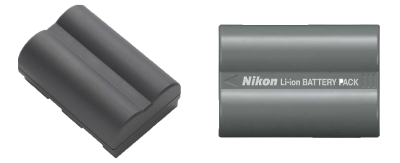
Batteries

A friend of mine is going on an extended backpacking trip, and space is already tight, so he approached me to see if I had any ideas on how he should go about running his SLR for an extended period of time without being able to charge or re-charge.  A couple ideas came to mind:

1.  First, just buy a battery for each day – not the cheapest route, but the easiest way to ensure power is had all along.

2.  Second, what about renting these accessories?  If he has two of his own, then renting 5 would run half the cost…

3.  Another option was to get a battery grip.  Here he could use his own for as long as possible, then switch to disposable AA batteries…

4.  Last but not least, solar power…I’ve considered these and even saw them in REI – they were a tad expensive and I am not even sure how one would go about connecting these to an AC charger.  You’d need the solar panel, then a male USB/AC converter, then the charger.  And the other factor would be how much of a charge you could get off that…in addition to weather concerns.  What if it’s not all that sunny?

Given the options, my final recommendation was to go with option 3.  It’d be a sound investment, would actually make the gear easier to hold on to, and often more stable than going w/out.  He agreed and will likely buy based on my recommendation.  It’s always a good feeling to be helpful to others, but before he does, I asked him to hold off for a day or two if possible, because I wanted to throw the question out to the readership…what ideas does the audience have for my friend?

Some of the rental outfits I’ve pointed him to include:

I’ve not had the benefit of experience with any of these vendors as we have a local camera rental shop that gives pretty good rates, so I always rent local from them.  Anyone have any experience with the national rental outfits?  Would really be helpful to get some external input here as he is leaving soon on his trip and could use some direction.  Sound off with your ideas!

Enter your email address:

Delivered by FeedBurner

The March Contest Begins

With March now underway, and the February giveaway wrapped up (check my rare weekend posts making this announcement), I thought I’d take a moment and let the cat out of the bag.  This month it’s quite an exciting prize!  The winner is going to be awarded a 17″ Tether Table (a $200 retail value)!  As if that’s not enough, the folks over at Tether Tools have also generously have thrown in a Jerk Stopper tethering kit that prevents your cables from snagging.  If you want to know more about it right now, stop over to their website and check out the product line:  Tether Table Product Page

In the meantime, here’s the nitty gritty details for the contest:

  • The Number:  1 image per person
  • The Size:  Longest side must be between 600-800 pixels.
  • The window:  30 day window for capture date (nothing earlier than February of 2011
  • The theme is:  Flat
  • The deadline:  March 31st at midnight (my time)
  • The rest:  You can read more about it at the Contest Guidelines page and the Rules of Engagement

Good luck everyone, and here’s the link:  March Contest Giveaway

For the record, the Tether Table will be very slightly used, as you know a hardware review is likely forthcoming quite soon on this equipment…but then again, that’s something to look forward to, right?

As a final postscript today, a new poll is up on the sidebar, so if you don’t visit the archives much (maybe take some time soon – lots of good stuff there! 🙂 ), be sure to take a moment and sound off in the latest poll:

[poll id="17"]

Enter your email address: 

Delivered by FeedBurner