What Next?

As 2010 gets underway, I am trying to take a proactive approach to the blogging (writing further in advance of blog posts) and podcasting (recording further in advance) outlets.  To do so, means that for a couple weeks or so now, I have been getting the blog posts up later in the day, and on a few occasions, no blog post at all.

When you don’t see a blog post, it means I am hard at work at my regular job, and then taking time after that to research, write, and contact people for things like the monthly giveaways, podcast participants, and much more.  With that in mind, I am ready to go on a pretty long stream here now of blog posts, giveaways and podcasts with various people in the industry.  But, at this point, you know what would be really helpful from the readership?  YOUR THOUGHTS!

I have three questions for you to consider between now and the end of February:

What types of content do you want to see on the blog? (Articles, subject matter, tips and tricks, videos, photos, techniques, etc.)

What types of prizes would you like to see in the giveaways? (Be realistic – Adobe Photoshop CS4, SLR cameras, and the like are likely out of my league…unless Adobe, Canon, Nikon, Pentax, and others are reading this and interested in becoming a vendor contributor [psst…email me: jason <AT> canonblogger <DOT> com]…)

Who would you like to hear from besides me talking on the podcast?  (Again, be realistic.  People like Scott Kelby, Joe McNally, and other industry heavyweights are not likely to be available – although you coulda knocked me over with a feather when David DuChemin agreed to come on a show…)

Thanks in advance, and I’l look forward to your comments here on the blog and to me via email.  Have a great weekend, happy shooting, and we’ll see you back here again on Monday!

5 Tips to Better Landscapes

The most common questions I get here on the blog center around the idea of how to take better pictures.  Whether those “better pictures” are better landscapes, or portraits, wildlife or events, everyone wants suggestions on how to approach the practice of taking pictures better.  Esoteric and creative considerations aside, there are some fundamental “tricks of the trade” that, by and large, will almost always improve your craft in pretty much any genre.  So, today, I thought I would take a moment to share 5 “tricks” I’ve learned that always lead to better landscapes: Continue reading “5 Tips to Better Landscapes”

Against my better judgement…

For those of you that have been following the blog for a long time (and let me know who you are, because I want to ask why!), you may recall that I used to put out video tutorials on how to do various things inside of Photoshop. After plodding around with that for a while, I came across the gurus of NAPP and realized that several were already doing it, and doing it much better than I ever could.  So, rather than re-inventing the wheel, I abandoned the video tutorials in favor of just sharing my “wisdom” in the form of the written word (blog posts and articles) and audio tips (which are now part of the Learning Digital Photography podcast).

Well, when I recently twittered with excitement over the newly released calendar of some of my favorite images for 2010, someone asked me about the template I used to create those images.  I honestly answered that I didn’t really use a template as the website www.lulu.com just let me upload the images and they handled the rest.  On realizing that they were talking about the images on my Photography Website, I recalled that a template was used for those images.  I could have done a written post about this, but those take a lot of time to put together (lots of screen grabs, lots of writing, and lots of uploading), so I instead decided to put together a new video on how to create a template for your photos inside of Photoshop.  The video may take some time to load, so please be patient as this is a self-hosted video production! 🙂

[display_podcast]

Keep in mind – this is just one way – in Photoshop there are always many ways to reach similar results, and as the old adage says, there’s more than one way to skin a cat!  Anyway, this is for you @mitz!  Enjoy, happy shooting, and we’ll see you back here tomorrow!  Oh, and lest we forget, there are very few days left in the January giveaway!  For your chance to win a free copy of Photomatix Pro from the folks at HDR Soft, get your Circle-themed photos in the Flickr Contest Thread by midnight on Friday (Mountain Time – GMT-7).

P.S.  For those that like my videos and want to see the archives, check out the Learning Resource Page from the sidebar for more materials.  And as an additional side note, this is post #600.  No fuss, no muss, no fanfare, but yet somehow I landed back on video tutorials – which is kind of how it all started!  Somehow, ,ind of poetic, eh? 🙂

Another Book Review: From Snap Shots to Great Shots (Canon 50D)

One area I’ve not really tackled here on the blog is that of book reviews, primarily because I don’t see a lot of books come through that give me enough time to read them myself.  One notable exception to that was a copy of Jeff Revell’s “From Snap Shots to Great Shots” book on the Canon 50D – I had the distinct honor of having received a copy of this book from Jeff a while back.  Since I did not own the 50D, it took me some time to actually sit down and read through the book.  I wish I hadn’t waited as this is a good read – regardless of what camera you own.  Here’s my detailed thoughts on “50D: From Snapshots to Great Shots”:
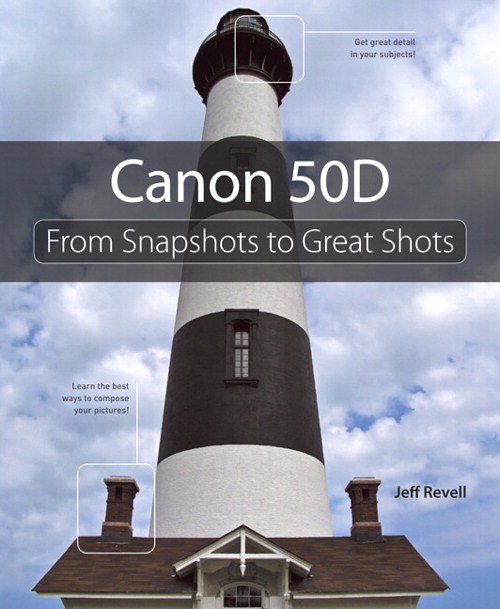
(Clicking on the Cover Image will take you to the Publisher site: Peachpit Press)

I did pull out the 40D and run through the settings with the book in hand because while I do not own the 50D, I figured that the 40D had enough similarities to use it in conjunction with the read.  This was helpful not only because I fond myself saying “I didn’t know I could do that!”, but also because I got a better handle on the differences between the two bodies.  For instance, on the 50D there is a dedicated button for Live View, whereas the 40D uses the button on the center of the rear dial.  The 50D also has a “Creative Auto” mode which is not present on the 40D…

One eureka moment I had was the sensor cleaning feature – while I knew that the camera will auto-clean the sensor on start-up and shut down, I did not know that there is an option to “clean now”.  Jeff’s advice to run this feature after swapping lenses is a good idea, and one I will definitely be adding to my work flow when out shooting (assuming of course that I am swapping lenses without turning the camera off and back on – which is my usual practice).

Another was the discovery of the “Flash Off mode”.  Because I usually shoot in one of three creative modes (manual, aperture priority or shutter priority), the basic zones have rarely been used.  The discovery of the “Flash Off” mode sounds interesting and I may have to give it a whirl.

As the title of the book suggests though, this is not really a text to explain each of the features (although he does a good job of that), it’s more about leveraging your camera on how to take better pictures.  Jeff does do a quick run through of the “Top Ten Things to Know” in Chapter One, and this is a great starting point.  As Jeff himself says, the book is not meant to replace the Owner’s Manual, rather to complement it.  Instead of telling you what the button does, Jeff tells you how you can use it to take better pictures, which is the key difference between this book and an Owner’s Manual.  It’s kind of like a blend between an Owner’s Manual and a primer on photography.

Some of the sections I liked Jeff’s in Jeff’s book include:

  • Raw versus JPG (I didn’t know what JPG stood for before reading this…do you?) (Chapter 2)
  • Different lenses (wide angles vs. telephotos vs. zooms) and their uses (Chapter 2)
  • The Exposure Triangle (Chapter 1)
  • Tips for Shooting Action (Chapter 5)
  • All of Chapter 8 – Mood Lighting – lots of tips and tricks here to achieving certain results with various techniques

My favorite part of the book – the assignments at the end of each chapter – here it’s basically a recap of what was covered in the chapter, but also gives you bullet points of things you should be familiar with both as a result of reading, but also from your own experimentation.  While many books will finalize things with the idea of getting out and practicing, the fact that Jeff encourages the reader to get out and practice with each element and does so frequently elevates this book over many others in the same category.

One disagreement: There is one thing where I actually kind of shuddered when I read it – in the book, Jeff describes the procedure for firmware updates and goes through the procedure of doing so by tethering the camera to the computer. While I know that Canon does have this as an acceptable approach for firmware updates, they also have the set of instructions for using just the memory card, which is preferable for me.  I wish Jeff would have covered both of these methods, and then let the reader decide for themselves which method they prefer.  Instead, he simply covers how to update firmware using the computer, and I do not recommend this approach! While I am sure there are many that have used this method successfully, and it’s an acceptable practice according to Canon, for me this is not the best way to complete firmware updates.  I don’t like this method for three reasons:

  1. It requires installing software on your computer so it can “detect” the camera and I like keeping my computer free of unnecessary software if I can…
  2. Data transfer rates are slower, which means more time for things to go wrong (and I would think your battery is discharged more too)…
  3. It goes counter to the instructions I’ve read from Canon for the 40D.  Even though Canon lets you do it through the computer now, it still needs a blank memory card to complete the process, so it’s like you are using the computer, and the memory card.  For me, I’d rather just keep the process simple.

Keep in mind though, this is a subjective topic, and it’s not necessarily wrong – I just wish he would have offered both options for updates rather than just covering the one approach.  This is not a reflection on the book as a whole, rather on one specific talking point.  Overall, the book is a great resource, not only as a reference for the 50D specifically, but it also is great for its coverage of some of the basic principles and practices in photography.  I like how Jeff takes the features of the camera and then transcends the camera-specific details to cover the ideas of how to take/make better pictures.  This just goes to show you that it really isn’t about the camera – it’s who’s behind it!

Jeff has taken this topic of “Snap Shots to Great Shots” and applied it to several books, so if you don’t own the 50D, check out his other titles as well on the Canon 500D and the Nikon D5000.  Jeff’s site, Photowalk Pro, is one of my daily reads too – it’s listed in the sidebar, and I also get email updates too.  To get your own feed or email subscription, check him out here.  If you are interested in any of his books, visit Peachpit (the publisher) or Amazon for more info.  I’ve included links here to the purchase points from Amazon:

If you want to become a better photographer, this book would be a great starting point, not just if you own a 50D (but it is particularly suited to 50D owners).  Jeff’s writing style is easy to follow and he covers a great amount without overwhelming the reader.  I’d recommend this book to anyone who wants to learn more about the Canon 50D, or just how to take better pictures in general…

That’s probably enough material for today.  Thanks go out to Jeff for sending me a review copy of his book to read – it was quite enjoyable!  (Readers – stop over at Jeff’s blog and thank him there too if you liked it!)  If you’d like me to review some more books, share your thoughts  here in the comments or with me via email and I’ll see what I can do.  Until tomorrow then, happy shooting!

Portrait or Landscape

One of the more common questions when it comes to composing images is whether to shoot with the camera oriented in the landscape or the portrait position (horizontal or vertical).  As always, the answer is usually along the lines of “it depends…”

There are some instances though when a portrait orientation is more conducive and others where a landscape is equally superior.  For instance – if you want to have your images published in magazines, portrait mode might work better primarily because that is how magazines are typically laid out.  Calendars, on the other hand, because of the opposing orientation, are more inclined toward landscape setups.  Your subject matter can also dictate preferred setups too…portrait mode is called portrait mode for a reason – it is particularly well suited to photos of people.  Likewise, landscape mode is also named that way because scenes and vistas (landscapes) typically extend from left to right and not top to bottom.

Sure, there are exceptions to the rule, when a landscape orientation may work for a particular portrait, or a vertical orientation make work for a group setting of people.  So, which one should you shoot?  My easy answer is to shoot both for any particular scene.  Often what I will do is if I find a subject that I want to capture to make a picture, I will shoot it four ways:

  1. Portrait
  2. Landscape
  3. Zoomed in
  4. Zoomed out

The latter two is a subject for another post some day, but for today, I thought it’d a be a fun way to cue up the weekend by reminding everyone to try shooting more ways than one – the results may surprise you!

A final reminder for the week too – there are only seven days left in the January circles themed Flickr Giveaway.  The winner will enjoy a free copy of Photomatix Pro from the folks at HDR Soft.  Is your picture in?  Don’t delay, submit today! 🙂  Happy shooting all and we’ll see you here next week!

Online & Digital Print Sales

So many people have talked about the business of selling your photographs, and the various options and pitfalls in doing so.  There are so many discussion points varying from whether to sell online or on consignment, print your own or use an online printer, and much more.  The ideas of printing, fulfillment, delivery, and such are all vexing subjects for sure, and it’s a sea of information out there to wade through.

Rather than spend time wading through that sea, I thought everyone might be interested in one option – that of the digital download.  Various outfits like Mpix, Smugmug, Shutterfly, and others offer a range of services for printing and fulfillment where digital prints are selected online, then printed and mailed to the purchaser, or even just downloaded to the buyer directly for them to print on their own.  This last option of letting the client download their own pictures is something that more people are turning to, and even here there are many options.

One that I’ve been testing the waters with is a WordPress plugin called WP eStore.  It’s got some pretty handy features, and if you are okay with touching just a pinch of the coding, it can actually work pretty well.  I can see how this could easily translate to sales of digital downloads of pictures, as well as e-books (which is the type I am going to start selling).  It’s got a pretty intuitive interface, but does have a little bit of code to it within the plugin itself.  With both free and paid versions there are also various levels of support, and the guy that developed this is very helpful with any questions I’ve had.

The left sidebar of WordPress has an entire widget dedicated to the configuration and I’ve shared a screen shot of the interface here:

I’d go into more details with screen captures but since the eStore is active and there is certain information that you have to include (like source file paths and such), that would be a little too transparent for here.  But as you can see from the widget, there are many options available to you for digital downloads including adding discounts, organizing into categories, and even maintaining customer lists if you want to send promotional emails.  All in all, it’s a very cool little plugin, and as I get more work done on various e-Books  this utility will no doubt come in handy for both the blog and for the reader.

Speaking of the reader experience, that end is pretty easy too – all you have to do is click the shopping cart button to add an item to your cart, and you can check out with Paypal.  Once checked out, the buyer gets a dedicated private link to download the item in question.  No fuss, no muss – instant download, which I think is a super nice feature.  The same would hold true for anyone interested in offering photo downloads too.  You can see the eStore plugin in action right here on my Store link from the navigation menu at the top of the page.  For more detailed information, or to download either the free or paid version for your own use, check out Amin’s work on his site here: .

Anyway, there’s my thoughts on the option of digital sales for photography products and services – the eStore plugin for WordPress.  Easy enough to install, great support, and pretty much hands-free once everything is set up and configured.

As always, mileage may vary, and different options are out there for different needs.  If anyone knows of other products, services, or options for online print sales, feel free to share them here as it’s always fun to learn about new things from one another!  Happy shooting, and we’ll see you back here again tomorrow to wrap up the week!

P.S.  Don’t forget, only one week left in the January Circles-themed Flickr Giveaway.  get your photos in soon for a chance to win a copy of Photomatix Pro from the folks over at HDR Soft!

Photoshop Teaser…

The Denver Area Lightroom Users Group (DALPUG) had their bi-monthly meeting tonight, and it was a lot of fun.  Brian Reyman (the leader) gave some great insights on digital asset management and some really cool Lightroom and Photoshop tips and tricks.  He reminded me that it’s been a while since I’ve played in Photoshop, or done tutorials here on the blog for that matter.

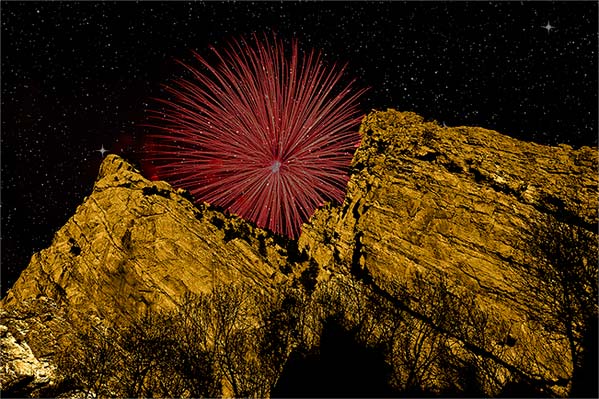
So, in the interests of putting some sort of creative graphic design effect together, I started playing around in Photoshop when I got home with a few different tools, effects, and all that fun stuff.  When all was said and done, the effect of all of this playing produced something that I thought would be worthy of a Photoshop tutorial.  However, I did run out of time to put all the screen shots and steps together for a blog post, so here is a teaser of what you might be seeing later this week!

The End Result

Rocky Mountain Fireworks

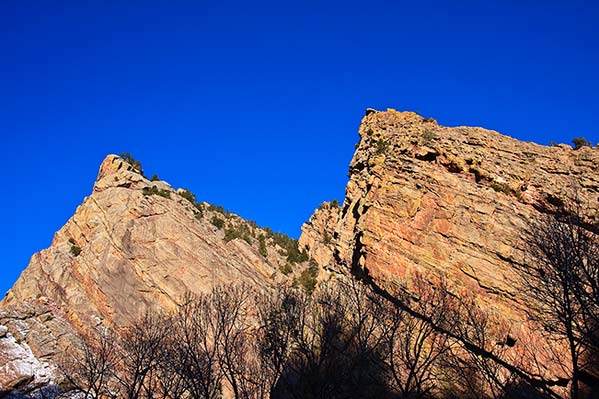
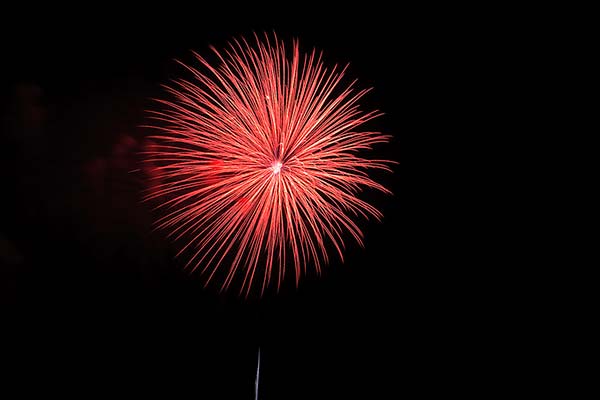
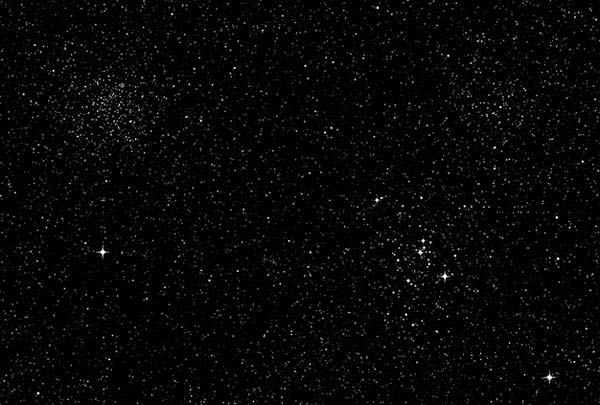
The ones that got me there…

Mountains

Fireworks

Starfield

The final result is a little surreal, but using the various effects were fun.  It also took some rather plain photos and turned them into…well, something not so plain!  🙂 When’s the last time you played in Photoshop?  Can you identify the effects used here?  Share your own pictures in the comments (remember, we have image upload now!), as well as any thoughts and or feedback.

Special thanks and shout outs to Brian for hosting the DALPUG meetings and for encouraging our creativity- he puts a lot of time and effort into these and it shows!

Only a couple blog notes for today, first that the Monthly Giveaway only has a limited amount of time left for submissions, so make sure you submit your Circles themed photos to the Flickr thread before the deadline!  Happy shooting and we’ll see you back here again tomorrow for more creative encouragement!

Hardware Review: Expodisc

It’s been a while since I’ve done a hardware review, and I realized that when the folks at Expo Imaging had sent me the Rayflash to review, I had also received an Expodisc.  I know I recorded the video for it, but for some reason it never got published, as the two were meant to be posted back to back.

In any case, here is the long-awaited review of the Epodisc from the folks at Expo Imaging:

Expo Disc

First – what is the Expodisc?  It’s simply a disc that defracts light as it passes through your lens in order to determine the proper white balance setting for your images.  Why is this a good thing?  It’s a good thing because light doesn’t always fall into the specific categories designed by your vendor.  It’s not always daylight, tungsten, florescent, etc.  These vendor pre-sets can get you close, but if you want spot on white balance settings in camera, this is definitely the way to go!  Here’s the short video I had put together a while back on how it works:

Do I like the Expo Disc?  Absolutely – and if I were in an environment where lighting conditions change often, or it was tricky to determine (say those lights in gyms with the green phosphorous), these utilities are a godsend.  Landscape environments can also be tricky when you are dealing with things like snow, shade and sunny areas at the same time, and portraiture can be tricky too – say you have a bride’s wedding dress, the whites of the eyes, and the teeth for sample areas – which do you set?  Use the ExpoDisc and it will be spot on every time!

Thanks again to the folks at Expo Imaging for lending me the review units of the Ray Flash and the Expo Disc. It was a pleasure, and for those interested in learning more about their products, please visit their website here.

Happy shooting everyone – be sure you get your shots in, because there’s limited time left in the Circles contest for a lucky participant. Here’s the Flickr thread – keep on posting and keep on shooting!  We’ll see you back here again tomorrow!

[display_podcast]

Challenge yourself!

The field of photography is a very challenging venue and finding your “voice” in a crowded field can often make the task seem daunting.  If you want to challenge yourself in different ways, try something else.  Painting, singing, and yes, playing a musical instrument can not only give you a new vision for your photography,  but it can get your creative juices going in ways that you may not realize.  While you may never become a Picasso, Luciano Pavarotti, or a Mozart, even picking up something you used to do as a kid (or when you were younger for those among us who are under the 30-something cutoff!), and giving it a whirl can give you new-found pleasures.

For instance, when I was much younger, I took piano lessons for seven years.  Endless scales, arpeggios, and the whole nine yards filled my practice sessions for days, weeks, months, and well….years!  When I moved onto college, other interests bended me away from the piano, probably because after seven years I realized I was never going to be a Mozart.  Nevertheless, I enjoyed the practice and occasionally I return to tickle the ivories from time to time.  The photography vision has been clouded this week, and I found some solace in the keyboards late Friday night.  So, I plugged in the M-Audio keyvoard to my Mac and pounded away for a while as my fingers tried to remember their proper positions.  I remembered again that I am no Mozart, but I do have some creative ideas again, all because of a little ditty I put together.  Does this ring a bell for any of you?

Have a great weekend everyone!  Happy shooting, and we’ll see you back here Monday with the results of my creative challenge! 🙂

The value of a sunset (or sunrise)…

We all see them every day – the sun rises and the sun sets.  Most of the time, it’s nothing too spectacular, perhaps some pretty colors are cast with various hues of orange and blue, or red and purple hazes…it’s all well and good.  We may even see some spectacular ones…a crimson or scarlett red, or fire-y orange ones.  They may also have an added impact if they are reflected in a lake, the ocean, or dramatized by their surroundings – palm trees, mountains, boats, or whatever happens to be there.

The spectacular ones are typically the ones we see in print, on calendars, and in magazines.  Yet every day, we find our eyes gazing toward that first and last light…knowing that we could see something magical.  Does this make the ones with more vibrant colors more magical?  The ones with fewer colors less magical?  Perhaps, but consider this – we are always looking for it.  Consider this project: take a picture of the sunrise and/or sunset every day for a week, month, or even a few months.  Take it from the same spot every day.  Find yourself some nice vantage point with some nice accents to the main subject (that being the sunset).  Then, after your specified time period is up, peruse the results and see how many “great” sunsets (or sunrises) you saw.

It could be a fun project not only to help you gauge when the sky will be well suited to sunrises and sunsets, but also to exercise some discipline in taking the same shot from the same vantage point, if only to understand when conditions are ideal.  This could be termed “scouting” in a sense, because you’ve found a nice place, set things up, planned, and then you just wait for the right light.  So many photographers talk about the light, and we hear terms bandied about like “seeing the light”, or “painting with light”.  I’ve heard a few mention the idea of “waiting for the right light”, and it mostly has come from landscape photographers.  This is what they do…they take the same scene over and over and over.

With practice, they can anticipate when the conditions will be favorable.  Their sense are more attuned to things like clouds, weather, and distractions.  Rather than relying on luck and serendipity, they plan, research, and study the scene for long periods of time before they find “the right light”.  Sure, you can manufacture it, and we’ve all seen the wonder shots in the galleries of others – but if you think about the time and energy that goes into capturing that perfect sunrise or sunset, imagine all the “almost” shots, and the time and energy that went into them, I would suspect that many landscape photographers would say there is value in every sunrise or sunset.  Because, even if they didn’t get the light just right in their location, someone – somewhere – when the sun set, nailed it perfectly!

Have you captured your perfect sunrise or sunset yet?  Was it planned or by accident?  Sound off in the comments and let me know if you think there is still value in sunrises and sunsets.  If you’ve got a shot you would like to share, feel free to post that via the upload link too (also in the comments).  Happy shooting, and we’ll see you back here again tomorrow.

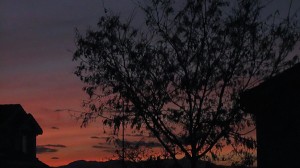
Oh yeah, did anyone in Colorado see the sunset today? 🙂  Nothing spectacular to write home about, but it was kind of cool colors, and worthy of showing here to indicate that just because it’s not a portfolio shot, sunset shots (in my mind) have value!  What do you think?

Colorado Sunset

P.S.  Don’t forget, the January Flickr Giveaway is in progress…submit your photos for a chance to win a free copy of Photomatix Pro from the folks at HDR Soft.