Come on Ride the Train

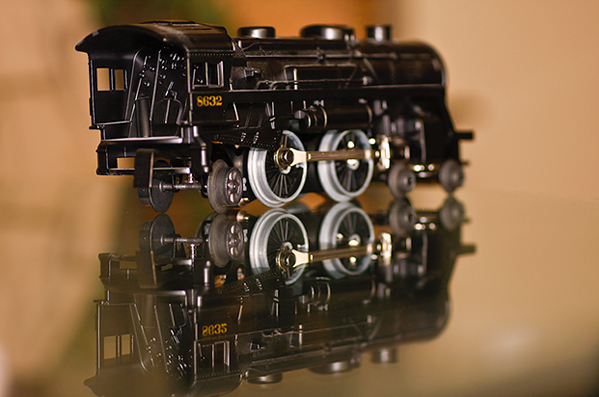
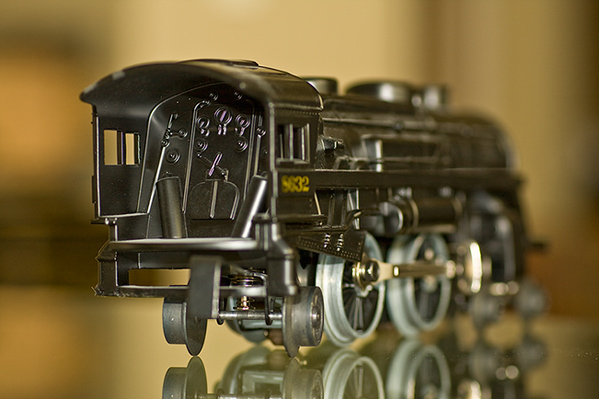
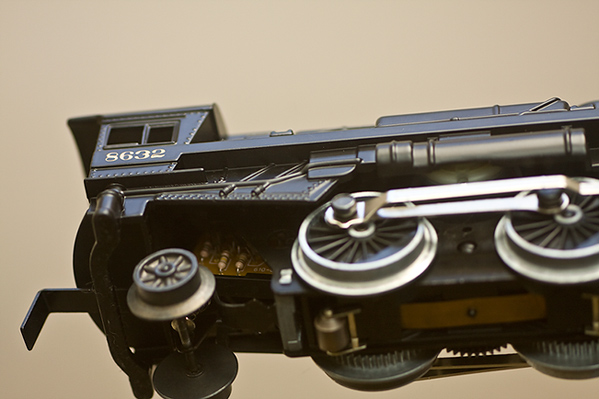
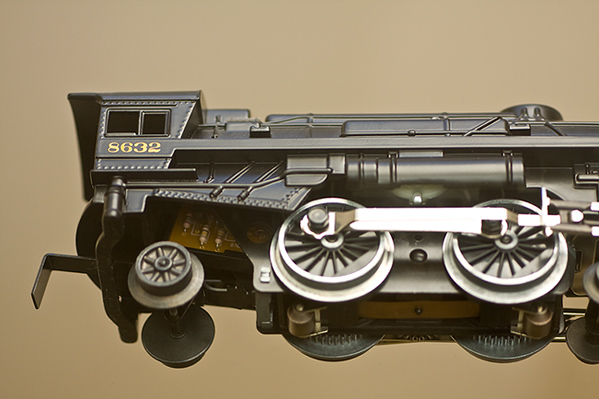
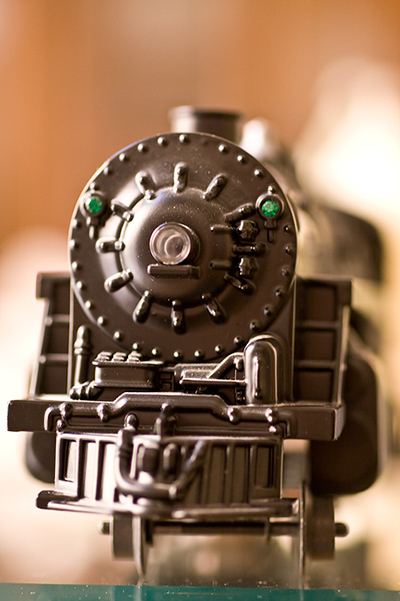
It’s somewhat fitting this week that yours truly is making serious use of the mass transit in Denver because a project that has finally come to fruition is a photo-themed shoot of trains.  I’ve always found them quite interesting, and only recently did I come into possession of a very high quality model train to pose as I desired for specific types of compositional and focal impressions.  Since the podcast isn’t quite finished, I figured now would be as good a time as any to share with you a sampling of my Train project…

_mg_8969

_mg_8959

_mg_8964

_mg_8966

_mg_8967

So, there’s the “Train Series”.  I tried various lighting scenarios, depth of field, and compositional approaches to see the effect each has.  I know which one(s) I like the best – what about you?  Any favorites, thoughts, feedback, criqitues?  What about your own themed projects?  Any sources of inspiration?  feel free to share them in the comments section!   Happy shooting, and we’ll see you back here tomorrow!

The basement is… FINISHED!

Okay, you might be inclined to skip today’s post since it is totally a personal post, but don’t do that because it still  has something to do with photography (I took some pics of the progress, but they are not really all that great n terms of image quality – horrible on-camera flash, poor lighting, and just no lighting).  Nevertheless, in the interests of full disclosure, this is more just a Monday brag session!

Additionally, I should also note that the project was finished a while ago (two maybe three weeks), but I am just now putting all the shots together and into a photo montage and tracked to music.  YouTube compression also takes away from it to a certain degree, but you can get the gist.  Thanks go out to my brother-in-law Bill, for letting me use a track off his bands’ CD.  if you want to know more about the band, they are called Billband, the CD is called “Blurred” and the track is called Original Blend.  They can be found at www.billband.com

And now – the basement slideshow:

Like the video? Think it was horrible?  Want to learn more about how to create engaging and interesting videos and slideshows?  Already know how?  Share your ideas,feedback, suggestions, and such in the comments either over at YouTube or here on the blog.   n the meantime, Happy Shooting and be sure to stop back tomorrow for the completed presentation of another project – the weekly podcast!

I’ve got friends in snow places

Okay, it’s a lame title, but my day has been centered around the blizzard conditions in and around the metro Denver area.  With some areas near where I live experiencing whiteouts, we had a fun time of things today wit traffic, early closures, and the whole 9 yards.  Tracy actually was the one who took the day off ahead of schedule (smart gal that wife of mine) and then braved the elements to come pick me up after the mass transit shut down service to my parking place.

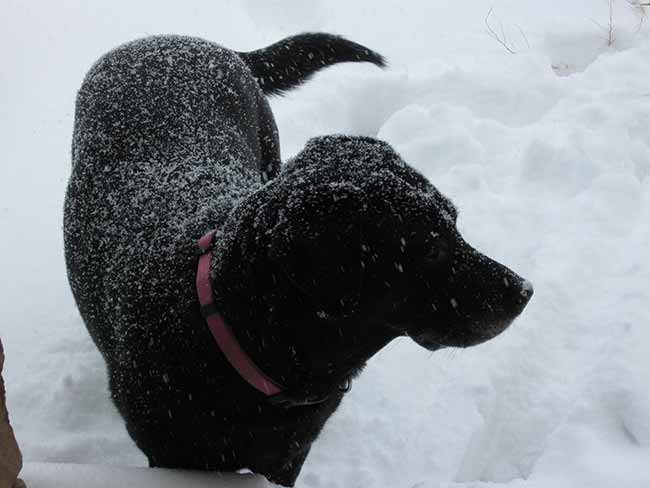
After a fender bender of her own – we finally got home in one piece (but not the car).  Of course, in the midst of all of this, our dog Maggie was just happy as could be frolic-ing in the snow.  Props to Tracy for having the idea to take a few snaps!

snowmoo

But, all is not fun and games in Bronco/Rocky Mountain land.  I’ve been helping a friend work through a bad time, and things just took a turn for the worse with him a few days ago.  Let me set the stage here for hyou.  Imagine you are a Photoshop/Adobe guru.  You know the crap outta all things Adobe.  Working in the industry for roughly ten years.  Now, imagine the company hiring some young gun.   You’ve been asked to train a new guy, then after four months or so of teaching a wet-behind-the-ears newb how to do things, you get laid off.

You knew that was coming right?  Well, now, imagine this:  as work becomes more and more challenging to find (despite the fact that you have practically every Adobe certification that exists), your beloved pet comes down with a time-sensitive medical issue that requires surgery to fix.  And you have no dollaz to pay it!  That, my friends, is no picnic.  Yet that is exactly what happened to my good friend David Zarzacki.  Finally, after some pushing from me, he’s set up a blog to explain the status with his pet, and Paypal links for donations.  He’s had some very generous contributions, but is still only about a third of the way to having enough for the vet bills.  (It’s surgery, after all, which isn’t ever all that cheap to begin with!)

So, please, today, take a moment and stop over to the blog to help save Mojo!  Make a contribution, even if it’s only a dollar or two.  And if you can’t contribute financially, then help spread the word by making a Twitter post, or a comment on your own blog – heck even just comments, thoughts, and prayers are welcome.  Every little bit helps!

Anyway, enough of the friends and snow places – I’ve rambled enough for the week.  I’ll leave off with the link to Mojo’s site.  Happy Shooting all and we’ll see you back here on Monday!  Have a great weekend:

Help Save Mojo


Thanks in advance to all that take the time to visit, share their thoughts, prayers, and contributions.

Thursday Thoughts with… Scott Eccleston

I am happy to report that the weekly series where I interview fellow photographers and share their thoughts and perspectives here on the blog.  This week, I’d like to welcome Scott Eccleston to the stage.  Scott has his own blog and shares his thoughts and ideas on a regular basis so be sure to stop over at his site where he shares Weekly Photo Tips!

Without further ado, here’s the latest in the revived Thursday thoughts series, with Scott Eccleston!

Q:  Hi Scott, welcome and thanks for agreeing to participate in the latest edition of the Thursday Thoughts series.  Since everyone always wants to know some of the basics, so let’s get a few things out of the way at once here…first up, ow long have you been a photographer?

A:  I got my first digital point and shoot in 2003…

Q:  So, that means you’ve been shooting digital for about 6 years now.  What kind of gear do you shoot with (i.e. Canon, Nikon, Sony, Olympus, Pentax)?

A:  Nikon, not to feed into the “Nikon vs. Canon” feud, it was because of familiarity. My first camera was a Nikon, then I upgraded to a Nikon 8700 (looking back, it was not much of an upgrade), then a D70, then to a D200, and now a D300 (but there is this persistent fantasy that involves a D3x)…

Q:  No worries about brand wars here – I think the CB readership knows it’s about the person behind the lens (and in front).  What about film?  Ever dabbled in that prior to digital?

A:  No film, never shot film – as Vincent Versace says “film is what you grows on your teeth when you don’t brush”  😉

Q:    Who’s Vincent Versace?  Just kidding!  What about post production – do you work on a mac, PC, Linux, or some combo?

A:  PC…

Q:  And let’s go completely off topic for a moment:  Chocolate, Vanilla or Strawberry?

A:  STRAWBERRY!

Q:  Nice!  Well, now that we’ve gotten the basic sundry stuff out of the way, I like to get others insights on various aspects of your work – and this often starts with the critique.  Photographers often enjoy hearing helpful and constructive critiques of their work, as we are aware of how much we can grow from it.  However, we’ve also all had the “nice shot” and “cool” comments when we’ve shared our work.   With that setup, what would you say was the singular most useful critique or comment you’ve ever had on work you’ve shared publicly?

A:  It was a critique about composition – “cinematic approach to photography”. Film makers (and film shooters) do not have the luxury of cropping; thought and planning are an important part of their image composition. Because I started shooting digital I adopted the “I’ll crop that out” that evolved into the “I’ll fix that in Photoshop” mindset that is too common with digital shooters. Confession, I began as a lazy photographer, I used Photoshop as a sledgehammer, now I use it as an emery board. I use it so infrequently now that when I do, it takes me a moment to orient myself to the workspace. And I don’t use it to “fix” an image, I use it for a black and white conversion or to edit something I had no control over at the time of the shoot (like blemish removal). I learned that if I spent more time getting it right in camera not only did I spend less time in post production, I was getting better quality images.

Sorry, I was rambling, but this is fundamental building block in my evolution as a photographer (and I could ramble on, and on, and…).

Q:  Heh, again, no worries – I’ve been known to wax on and on myself.  Speaking of waxing, just the other day I was…oh, wait, sorry, getting off topic there.  Back on the subject of critique… if someone was asking you for an honest critique of their work, what 3 factors would you look at most (excluding friendships or family relatives, we’re talking professional or fellow photographer-types here)?

A:  The first thing would be to determine if they really want an “Honest Critique”. 😉

  1. Intent
  2. Technique
  3. Execution

Q:  What happened to the rambling nature?  Again, just kidding, but I like the approach – it shows how you approach capturing your own images!  Speaking of capturing your own images, as we’ve seen the post process mature in programs like Photoshop and other software options,  new ways to create images are presenting wider options and possibilities. If you had to choose between the gear or the software as the only way to create, which would it be and why?

A:  GEAR! The software should be used to complement your work, not create it.

Q:  Heh, well, it shows in your skillwith which you execute your imagery.  Speaking of which, you’ve got a great body of work!  In that vein, if you had to pick three pictures out of your entire portfolio to represent your approach to photography, or your artistic vision, which ones would you pick and why?

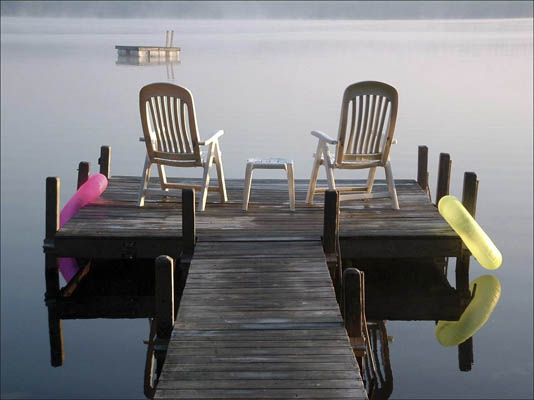
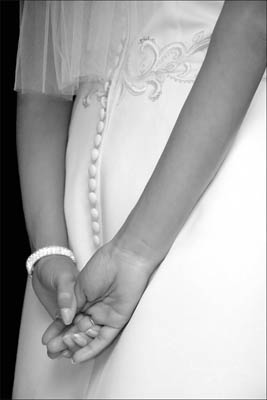
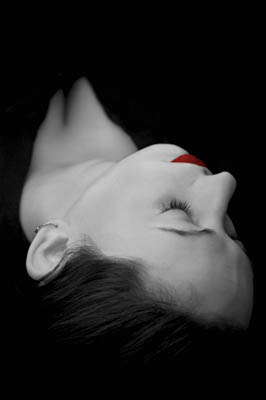
A:  Each of these images represents a first for me…
Scott Eggleston

This was taken with my point and shoot and was the first image that said something to me, that evoked an emotion. It was the image that made me want to learn more about photography (and spend a ton of money on gear in the process).
Scott Eggleston

This was the first of my images that said something to others. I was new to the Portland (Maine) Camera Club and had just started submitting to print competitions, during the critique one of the judges (who is a well established professional photographer) said “this is one of the best black and whites I have seen here”.
Scott Eggleston

This is the first time I had an idea for an image that came out exactly as I had envisioned it.

Q:  Wow!  These are great ones, and I can see why you chose them.  Thanks so much for taking the time to share your thoughts, work, and input here on the blog.  Are there any final thoughts you’d like to share about the state of photography or any catch phrases that you keep in mind when shooting?

A:  There are two things about the state of photography that have drawn me in and make me want to stay:

  • When photographers discover new things, new techniques, instead of hiding it like a closely guarded secret; they share it with the rest of the world. Sites like Strobist and people like you are great examples of this.
  • In keeping with that theme, most photographers seem to have little interest or desire in being better than another photographer, they just have a desire to be a better photographer.

Thank you for inviting me here Jason.

Thank you Scott, the pleasure has been all mine (as is the same for the readers of the blog)!  Remember, you can find out more about Scott, his Weekly Photo Tips, and his professional body of work on the web too, so be sure to stop over and enjoy everything he has to offer!

How do you like to sound?

In preparation for the next podcast, due in no small part to a technical difficulty with Garage Band, I’ve set up a dedicated computer and recording space (call it my dedicated recording studio) and the audio quality is off the charts better than anything I’ve done before.  Ironically, the new topic for this weeks podcast is also about sound – the sound of shutters and how they can impact the feel of the camera, and how they can effect a moment is significant enough to warrant consideration.  Make sure you tune in for this one from the good folks over at Personal Life Media to get all the news, info, and latest from Learning Digital Photography!

Here’s the rest of the show notes:

Here’s the links from news items I talked about:

Listener Questions

  • How do you fix the Canon 99 Error?
  • What does the term “sync speed” mean?
  • What does kerning refer to in typography?

Listen in to the podcast over at Personal Life Media for the answers and full details on all the show segments.  In the meantime, what does your shutter sound like?   It doesn’t even have to be a Canon camera, listen to your camera whether it’s Canon Nikon, Olympus, Sony, Pentax, Panasonic, Leica, Hasselblad, etc! Find out why in the podcast up now over at Personal Life Media!  Thanks for stopping by the blog, and for all your kind words during the flu bug bout.  Enjoy the podcast, then go out and do y’all some shootin’!  See you back here tomorrow!

Black and White Conversion Options

About a year ago, I put together a list of my top five favorite ways to convert images to black and white.  As technology has advanced though, more options have become available, and I have learned a lot more.  So, in the spirit of keeping the blog topics up-to-date and current, I would like to re-visit this here today.  (This is also coming on the heels of the Black-and-White issue I finally finished of Rangefinder Magazine!)

  1. Camera Raw Conversion – If you aren’t working in camera raw, here is a big reason to think about it – converting images to black and white in camera raw allows you to make a conversion while retaining access and malleability to all image data. The camera raw dialogs that you should use to make conversions here include the saturation slider, then exposure and shadow sliders, followed by the Brightness slider. Don’t forget to play with the contrast slider a little to enhance the effect as desired. Last but not least, for advanced adjustments, the calibration tab can have effects similar to the Channel Mixer.
  2. Black and White Conversion – With Photoshop CS3 and now in CS4, the good folks over at Adobe have added a Black and White conversion  option in the image adjustments menu.  This is pure gold because you can duplicate the image before making adjustments and apply the effect to it’s own layer.  You can also add back in tonal values for specific b/w effects that previously were pretty much out of reach without many many edits, layer adjustments, masks and much much more.
  3. Channel Mixer – with your image open in Photoshop (7.0 or higher), you can select a specific color set you want to remove from or add emphasis to in an image. The traditional color sets or red, green and blue are available, as well as a constant (think brightness), and a check box for monochrome.
  4. Hue/Saturation Adjustment – whether as a dedicated layer, or directly to an image, the Hue/Saturation allows you to account for different intensity levels of a wide range of colors, from Red, Yellow, Green, Cyan, Blue, and Magenta. You can also adjust the range of color within one of the default ranges for each set by adjusting the left and right limiters of the color wheel at the bottom of the dialog window.
  5. Grayscale Conversions – most black-and-white images aren’t true black and whites, because a little color from a specific range is added back in for emphasis. To make an image truly a b/w, it would only have a range of black and white. This can be done using the grayscale option in Photoshop. Often, this is used as the last step in a digital approach to black and white photography so that saturation and brightness level loss is minimized.

So, what have I added and what have I removed?  The Black and White conversion method is the latest addition, and I jettisoned in-camera conversions.  While pretty much all cameras have the in-camera option to take images in black-and-white, as I have crawled my way up the learning curve, I am cognizant of the fact that if you lose image data in-camera, there is no getting it back afterward.

Well, that’s it – the new and improved post on Black and White conversion options!  If you’d like to read the original post, that can be pulled up from the archives here.  In the meantime, feel free to share your favorite techniques for black and white conversions here in the comments or via email.  As always, Happy Shooting and we’ll see you back here again tomorrow!

Urgh – thith code hath sthopped the blog

Nyquil, Robitussen, Theraflu, Zicam, Sudafed – all for nada, zip, zilch, and a big fat doughnut.

Sorry all, the fog is just too deep to come up with anything coherent.   Don’t drop me from the feed reader just yet, as I think the haze is starting to clear some.  Be sure to stop back friday for a hopefully more coherent post about something related to photography – perhaps even a podcast (if you like the sound of hacking lung, runny nose, and pregnant pauses as I try to remember what it was I wanted to say…).  In other words, today is officially a “no blog” day.

In all seriousness, I should be back to form tomorrow – just ran out of hours in the day today, and this cold is kinda kicking me out of the game early at night time due to well…the meds.  Batter up on Friday!  Happy shooting!

Too much time in Photoshop?

(Courtesy of the NAPP forums) You know you are spending too much time in Photoshop when:

  1. You go into a sandwich shop and order a Gallery Wrap
  2. You wonder whether “Reduce Noise” will work on the kids
  3. You look for the healing brush to fix your drywall
  4. Your idea of hitting the snooze button involves cloning the digits because it’s quicker
  5. When accused of gaining weight, you say it’s layers you choose not to discard
  6. When “Vanishing Point” becomes something you hope can be applied to your in-laws
  7. When “Sharpen More” is something you wish you could beat your students with
  8. You hear about a stimulus plan on the news and wish it had a “Auto-Enhance” or “More Accurate” option attached to it
  9. Your write-in candidate for the last presidential election was “A Configurator Panel”
  10. You try to move something by just putting your hand in front of it and dragging…

I know this is just a tip of the iceberg – let your creativity and originality shine through in the comments!  Until tomorrow – Happy Shooting!

Tidbit Tuesday

Been fighting a bug that’s been going around for the past few days so don’t have much news or information from a photography perspective to share.  On a personal note, I finally caved in and got an iPod for listening to the spate of podcasts that I enjoy during my daily commutes.  The playback, interface, and storage capacity makes for a world of difference.  For those that are interested in which iPod, I put together a little YouTube video to show the “unboxing”:

Enjoy and Happy Shooting!  We’ll see you back here tomorrow (when I’ll hopefully have a podcast ready for all…)

An Interview with Peggy Dyer…

As you may recall, a few weeks ago I had the pleasure of meeting up with Peggy Dyer, a professional photographer here in Colorado, and I got to learn about her latest project – One Million Faces.  We got a chance to sit down a second time and I learned a lot more about her creative energy, where she finds inspiration, and about where the One Million Faces project found it’s genesis.  In addition, we also got to talk in more detail about the Lensbaby series of lenses, starting with the first one ever,  going through the most recent Lensbaby Composer, and even a sneak peak of an upcoming lens from them.  Best of all – I actually was able to put together a video of it to share with the community.  It all looks very intriguing and with her creative energies, I am really getting motivated to get out there and try some shots with this gear.


An Interview with Peggy Dyer from CBJason on Vimeo.

A couple links from the interview, including some local charities and other resources that readers may find interesting are also included below:

Until tomorrow, Happy Shooting!