
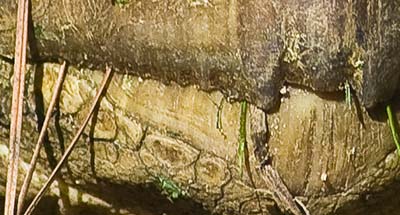
If you post it, they will guess…that’s the theory I’m going with this week. Anyone have any ideas? I took a different approach to it this go around, hopefully a little more abstract… Good luck, and Happy Shooting!
If you post it, they will guess…that’s the theory I’m going with this week. Anyone have any ideas? I took a different approach to it this go around, hopefully a little more abstract… Good luck, and Happy Shooting!
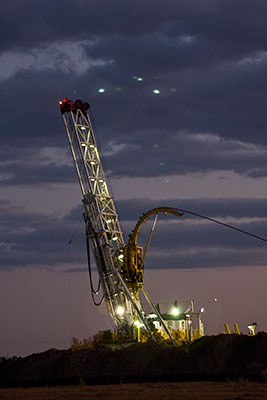
I was driving home from work yesterday with my camera bag in the seat next to me when I saw this on the opposite side of the road. So, I swung around, popped out of the car, set up and used the roof of the car for stability and snapped off a few shots wide open and about 800 ISO. As a full-size image it is a bit noisy, but here it looks pretty good. To me, that’s proof positive that it always pays to have your camera with you. That’s the “Tuesday Tip” for this week. Enjoy and Happy Shooting! We’ll see you back here again tomorrow.
As I’ve recently moved to outsourcing my printing to Mpix, I’ve had to adjust my work flow accordingly. Prior to the Mpix migration, I had a set of sizes that I would print to, that allowed for matting and framing while not cutting into the picture itself. That set of procedures has been to print on the next largest paper size, which allows me to apply a mat to a photo before framing it. So, I had the following defined printing outputs:

So, what does this mean when using an online resource like Mpix? Well, since they usually print borderless pictures, it means you have to build in that border to your print. It also means paying a little more for your pcitures to be printed. Using the same principle as above, it simply means to increase the canvas size on your print so that it will fit in the next sized up frame. Then, just make sure your ID (inner dimension) size for the mat matches your actual image size, and your OD (outer dimension) size for the mat, matches the size of the frame you want to put your picture in.
There is also the alternative where you can just use the borderless print without any built in border if you want to use those glass or acrylic enclosures that have no frame border to them that would hide the edges of your print.
Keep in mind that there is a growing trend to adding a digital frame to your shots, to give a title and or copyright notice in that area. If you do that to your prints, the added dimension for the digital frame needs to be included in the “image size” when you go to print, mat, and frame your pictures.
Well, that’s it for today. If you’ve got any ideas, comments, suggestions, tips or tricks when it comes to printing, matting, and framing your shots, feel free to share those in the comments. Thanks for tuning in and we’ll see you back here tomorrow. Happy shooting!
It’s fun to share resources that can really help you save time and money in pursuing your photography goals, and because there’s not a lot of really high quality resources out there, posts like these are few and far between. However, I do have a few resources that may prove useful to wrap up the week:
And, to close out the week, be sure to stop over at What The Duck! My favorite one this week:

Happy shooting, have a good weekend, and we’ll catch you back here on Monday!
Here we are into week 13 of “What’s This?” I know, it typically goes up on Wednesdays, but been having a few other issues going on so yesterday was a no-post day for me…anyway, here’s the latest edition for the watchful eyes of the readership. What’s This?

As always, the winner…wins! Happy shooting and we’ll see you back here again tomorrow!